
Have a Question?
[HUAWEI] MA5600T/MA5683T/MA5800-X15 OLT Integration with HALNy SFU 2 LAN
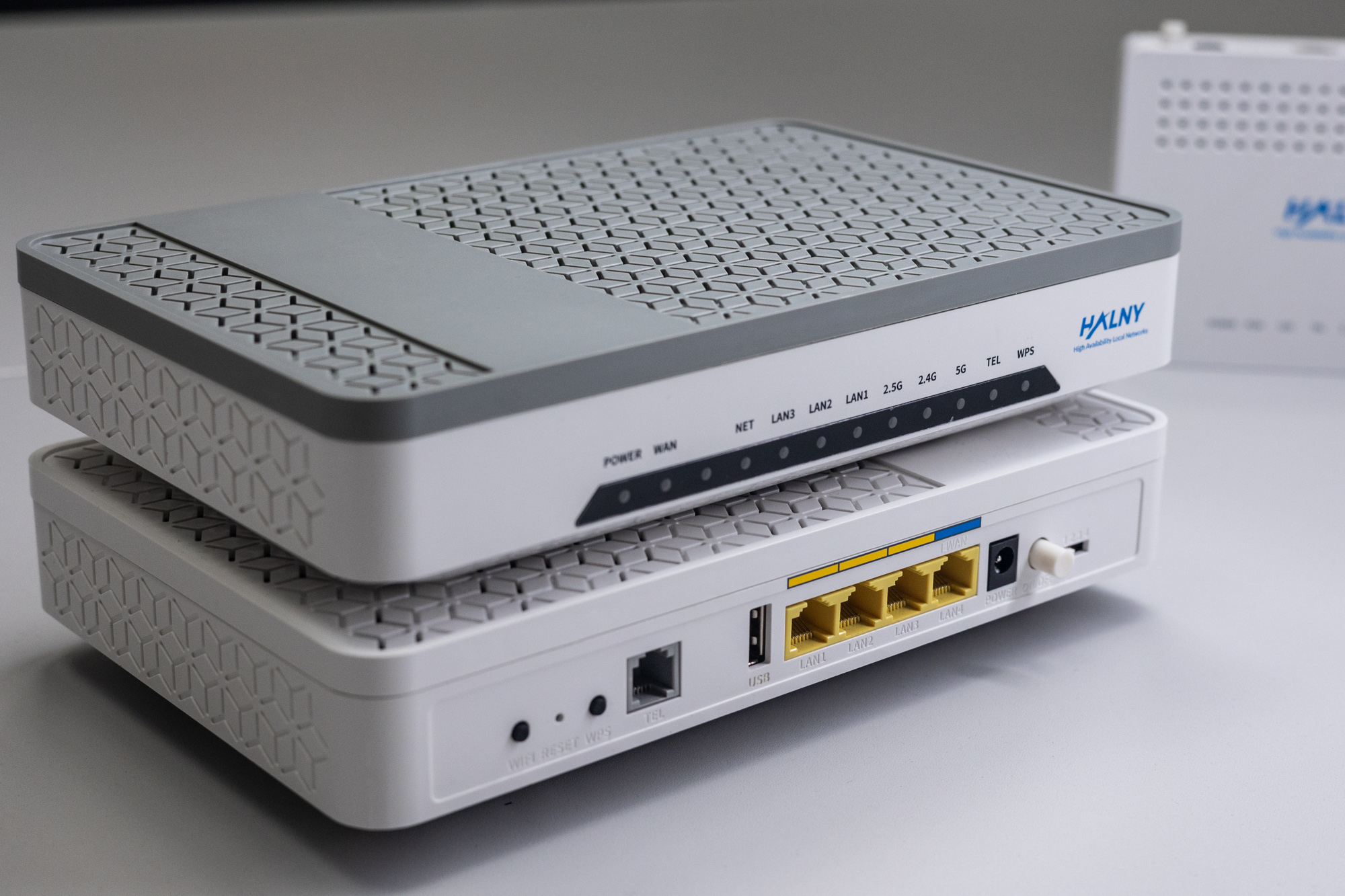
HALNy Integration
Supported SFU service scenarios
1. ONT configuration (Access mode, only INTERNET)

ONT was connect to GPON port 0 (slot 0) with ONU_ID 32
1. Create DBA profile
HUAWEI(config)#dba-profile add profile-id 17 profile-name "dba-profile_17" type4 max 1024000

HUAWEI(config)#dba-profile add profile-id 21 profile-name "XGS-PON_DBA" type4 max 10000000
2. Create ONT srvprofile
Attention: Following configuration example is based on the HL-2GRV model, which features 2 LAN ports, 1 POTS port and 1 CATV port. Adjust the configuration/services as needed to suit your ONT model. Change HL-MODEL string to exact model name of the ONT.
HUAWEI(config)#ont-srvprofile gpon profile-id 149 profile-name "HL-MODEL_SFU_INT"
  ont-port pots 1 eth 2 catv 1
  port vlan eth 1 translation 100 user-vlan 100
  port vlan eth 2 translation 100 user-vlan 100
  port vlan iphost translation 400 user-vlan 400
  commit
  quit
3. Create ONT lineprofile
Attention: Following configuration example is based on the HL-2GRV model, which features 2 LAN ports, 1 POTS port and 1 CATV port. Adjust the configuration/services as needed to suit your ONT model. Change HL-MODEL string to exact model name of the ONT.
HUAWEI(config)#ont-lineprofile gpon profile-id 149 profile-name "HL-MODEL_SFU_INT"
  fec-upstream enable
  tcont 1 dba-profile-id 17
  tcont 2 dba-profile-id 17
  gem add 0 eth tcont 1
  gem add 1 eth tcont 2
  gem mapping 0 0 vlan 100
  gem mapping 1 1 vlan 400
  commit
  quit
4. Register ONT on GPON
Change HL-MODEL string to exact model name of the ONT.
HUAWEI(config)#interface gpon 0/0
HUAWEI(config-if-gpon-0/0)#ont add 0 32 sn-auth "48414C4E086046A8" omci ont-lineprofile-id 149 ont-srvprofile-id 149 desc "HL-MODEL_SFU_INT"
HUAWEI(config-if-gpon-0/0)#ont ipconfig 0 32 dhcp vlan 400 priority 0
5. Add ONT port configuration
Attention: Following configuration example is based on the HL-2GRV model, which features 2 LAN ports, 1 POTS port and 1 CATV port. Adjust the configuration/services as needed to suit your ONT model.
HUAWEI(config)# interface gpon 0/0
HUAWEI(config-if-gpon-0/0)#ont port native-vlan 0 32 eth 1 vlan 100 priority 0
HUAWEI(config-if-gpon-0/0)#ont port native-vlan 0 32 eth 2 vlan 100 priority 0
6. Create bbs-config
Attention: Following configuration example is based on the HL-2GRV model, which features 2 LAN ports, 1 POTS port and 1 CATV port. Adjust the configuration/services as needed to suit your ONT model.
HUAWEI(config)#service-port 119 vlan 100 gpon 0/0/0 ont 32 gemport 0 multi-service user-vlan 100 tag-transform translate
HUAWEI(config)#service-port 120 vlan 400 gpon 0/0/0 ont 32 gemport 1 multi-service user-vlan 400 tag-transform translate
7. Verify ONT ip-host 1 IP address
HUAWEI(config-if-gpon-0/0)#display ont ipconfig PORT-ID ONT-ID
  --------------------------------------------------------------------
  ONT IP host index        : 0
  ONT config type          : DHCP
  ONT IP                   : 172.17.61.132
  ONT subnet mask          : 255.255.254.0
  ONT gateway              : 172.17.60.1
  ONT primary DNS          : 172.16.16.240
  ONT slave DNS            : 89.231.1.206
  ONT MAC                  : E05A-9F6F-FF98
  ONT manage VLAN          : 400
  ONT manage priority      : 0
  Dscp mapping table index : 0
  --------------------------------------------------------------------
2.ONT configuration (Access mode, INTERNET+IPTV)

ONT was connect to GPON port 0 (slot 0) with ONU_ID 33
1. Create DBA profile
HUAWEI(config)#dba-profile add profile-id 17 profile-name "dba-profile_17" type4 max 1024000

HUAWEI(config)#dba-profile add profile-id 21 profile-name "XGS-PON_DBA" type4 max 10000000
2. Create ONT srvprofile
Attention: Following configuration example is based on the HL-2GRV model, which features 2 LAN ports, 1 POTS port and 1 CATV port. Adjust the configuration/services as needed to suit your ONT model. Change HL-MODEL string to exact model name of the ONT.
HUAWEI(config)#ont-srvprofile gpon profile-id 150 profile-name "HL-MODEL_SFU_INT_IPTV"
  ont-port pots 1 eth 2 catv 1
  multicast mode igmp-snooping
  port vlan eth 1 translation 100 user-vlan 100
  port vlan eth 2 translation 200 user-vlan 200
  port vlan iphost translation 400 user-vlan 400
  commit
  quit
3. Create ONT lineprofile
Attention: Following configuration example is based on the HL-2GRV model, which features 2 LAN ports, 1 POTS port and 1 CATV port. Adjust the configuration/services as needed to suit your ONT model. Change HL-MODEL string to exact model name of the ONT.
HUAWEI(config)#ont-lineprofile gpon profile-id 150 profile-name "HL-MODEL_SFU_INT_IPTV"
  fec-upstream enable
  tcont 1 dba-profile-id 17
  tcont 2 dba-profile-id 17
  tcont 3 dba-profile-id 17
  gem add 0 eth tcont 1
  gem add 1 eth tcont 2
  gem add 2 eth tcont 3
  gem mapping 0 0 vlan 100
  gem mapping 1 1 vlan 200
  gem mapping 2 2 vlan 400
  commit
  quit
4. Register ONT on GPON
Change HL-MODEL string to exact model name of the ONT.
HUAWEI(config)#interface gpon 0/0
HUAWEI(config-if-gpon-0/0)#ont add 0 33 sn-auth "48414C4E086046A8" omci ont-lineprofile-id 150 ont-srvprofile-id 150 desc "HL-MODEL_SFU_INT_IPTV"
HUAWEI(config-if-gpon-0/0)#ont ipconfig 0 33 dhcp vlan 400 priority 0
5. Add ONT port configuration
Attention: Following configuration example is based on the HL-2GRV model, which features 2 LAN ports, 1 POTS port and 1 CATV port. Adjust the configuration/services as needed to suit your ONT model.
HUAWEI(config)#interface gpon 0/0
HUAWEI(config-if-gpon-0/0)#ont port native-vlan 0 33 eth 1 vlan 100 priority 0
HUAWEI(config-if-gpon-0/0)#ont port native-vlan 0 33 eth 2 vlan 200 priority 0
6. Create bbs-config
Attention: Following configuration example is based on the HL-2GRV model, which features 2 LAN ports, 1 POTS port and 1 CATV port. Adjust the configuration/services as needed to suit your ONT model.
HUAWEI(config)#service-port 121 vlan 100 gpon 0/0/0 ont 33 gemport 0 multi-service user-vlan 100 tag-transform translate
HUAWEI(config)#service-port 122 vlan 200 gpon 0/0/0 ont 33 gemport 1 multi-service user-vlan 200 tag-transform translate
HUAWEI(config)#service-port 123 vlan 400 gpon 0/0/0 ont 33 gemport 2 multi-service user-vlan 400 tag-transform translate
7. Create btv-config
HUAWEI(config)#btv
HUAWEI(config-btv)#igmp user add service-port 122 no-auth
HUAWEI(config-btv)#multicast-vlan 200
  igmp default uplink-port 0/7/0
  igmp query-proxy disable
  igmp version v2
  igmp match mode disable
  igmp multicast-vlan member service-port 122
  igmp mode snooping
  igmp uplink-port 0/7/0
  quit
HUAWEI(config)#default-policy service-port multicast-unknown transparent
8. Verify ONT ip-host 1 IP address
HUAWEI(config-if-gpon-0/0)#display ont ipconfig PORT-ID ONT-ID
  --------------------------------------------------------------------
  ONT IP host index        : 0
  ONT config type          : DHCP
  ONT IP                   : 172.17.61.132
  ONT subnet mask          : 255.255.254.0
  ONT gateway              : 172.17.60.1
  ONT primary DNS          : 172.16.16.240
  ONT slave DNS            : 89.231.1.206
  ONT MAC                  : E05A-9F6F-FF98
  ONT manage VLAN          : 400
  ONT manage priority      : 0
  Dscp mapping table index : 0
  --------------------------------------------------------------------
3. ONT configuration (Access mode, Internet + IPTV + VoIP)

Attention! VoIP service can work only on the same VLAN as IP-host 1
HL-2BV SFU with VoIP supported since V4.0.8p1 firmware version.
ONT was connect to GPON port 0 (slot 0) with ONU_ID 34
1. Create DBA-profile
HUAWEI(config)#dba-profile add profile-id 17 profile-name "dba-profile_17" type4 max 1024000

HUAWEI(config)#dba-profile add profile-id 21 profile-name "XGS-PON_DBA" type4 max 10000000
2. Create ONT srvprofile
Attention: Following configuration example is based on the HL-2GRV model, which features 2 LAN ports, 1 POTS port and 1 CATV port. Adjust the configuration/services as needed to suit your ONT model. Change HL-MODEL string to exact model name of the ONT.
HUAWEI(config)#ont-srvprofile gpon profile-id 151 profile-name "HL-MODEL_SFU_INT_IPTV_VOIP"
  ont-port pots 1 eth 2 catv 1
  multicast mode igmp-snooping
  port vlan eth 1 translation 100 user-vlan 100
  port vlan eth 2 translation 200 user-vlan 200
  port vlan iphost translation 300 user-vlan 300
  commit
  quit
3. Create ONT lineprofile
Attention: Following configuration example is based on the HL-2GRV model, which features 2 LAN ports, 1 POTS port and 1 CATV port. Adjust the configuration/services as needed to suit your ONT model. Change HL-MODEL string to exact model name of the ONT.
HUAWEI(config)#ont-lineprofile gpon profile-id 151 profile-name "HL-MODEL_SFU_INT_IPTV_VOIP"
  fec-upstream enable
  tcont 1 dba-profile-id 17
  tcont 2 dba-profile-id 17
  tcont 3 dba-profile-id 17
  gem add 0 eth tcont 1
  gem add 1 eth tcont 2
  gem add 2 eth tcont 3
  gem mapping 0 0 vlan 100
  gem mapping 1 1 vlan 200
  gem mapping 2 2 vlan 300
  commit
  quit
HALNy ONTs support transparent forwarding of up to 10 VLANs.
4. Register ONT on GPON
Change HL-MODEL string to exact model name of the ONT.
HUAWEI(config)#interface gpon 0/0
HUAWEI(config-if-gpon-0/0)#ont add 0 34 sn-auth "48414C4E086046A8" omci ont-lineprofile-id 151 ont-srvprofile-id 151 desc "HL-MODEL_SFU_INT_IPTV_VOIP"
HUAWEI(config-if-gpon-0/0)#ont ipconfig 0 34 dhcp vlan 300 priority 0
5. Add ONT port configuration
Attention: Following configuration example is based on the HL-2GRV model, which features 2 LAN ports, 1 POTS port and 1 CATV port. Adjust the configuration/services as needed to suit your ONT model.
HUAWEI(config)#interface gpon 0/0
HUAWEI(config-if-gpon-0/0)#ont port native-vlan 0 34 eth 1 vlan 100 priority 0
HUAWEI(config-if-gpon-0/0)#ont port native-vlan 0 34 eth 2 vlan 200 priority 0
6. Create bbs-config
Attention: Following configuration example is based on the HL-2GRV model, which features 2 LAN ports, 1 POTS port and 1 CATV port. Adjust the configuration/services as needed to suit your ONT model.
HUAWEI(config)#service-port 124 vlan 100 gpon 0/0/0 ont 34 gemport 0 multi-service user-vlan 100 tag-transform translate
HUAWEI(config)#service-port 125 vlan 200 gpon 0/0/0 ont 34 gemport 1 multi-service user-vlan 200 tag-transform translate
HUAWEI(config)#service-port 126 vlan 300 gpon 0/0/0 ont 34 gemport 2 multi-service user-vlan 300 tag-transform translate
7. Create btv-config
HUAWEI(config)#btv
HUAWEI(config-btv)#igmp user add service-port 125 no-auth
HUAWEI(config-btv)#multicast-vlan 200
  igmp default uplink-port 0/7/0
  igmp query-proxy disable
  igmp version v2
  igmp match mode disable
  igmp multicast-vlan member service-port 125
  igmp mode snooping
  igmp uplink-port 0/7/0
  quit
HUAWEI(config)#default-policy service-port multicast-unknown transparent
8. Verify ONT ip-host 1 IP address
HUAWEI(config-if-gpon-0/0)#display ont ipconfig PORT-ID ONT-ID
  --------------------------------------------------------------------
  ONT IP host index        : 0
  ONT config type          : DHCP
  ONT IP                   : 172.17.61.132
  ONT subnet mask          : 255.255.254.0
  ONT gateway              : 172.17.60.1
  ONT primary DNS          : 172.16.16.240
  ONT slave DNS            : 89.231.1.206
  ONT MAC                  : E05A-9F6F-FF98
  ONT manage VLAN          : 400
  ONT manage priority      : 0
  Dscp mapping table index : 0
  --------------------------------------------------------------------
9. Add ONT’s VoIP configuration
HUAWEI(config-if-gpon-0/0)#ont voip config-method 0 34 omci
HUAWEI(config-if-gpon-0/0)#0 34 signal-profile profile-id 1
HUAWEI(config-if-gpon-0/0)#if-sip add 0 34 1 registration server-uri 172.16.1.2 server-port 5060 proxy-server 172.16.1.2 proxy-server-port 5060 outbound-server 172.16.1.2 outbound-server-port 5060
10. Set VOIP account
HUAWEI(config-if-gpon-0/0)#sippstnuser add 0 34 1 mgid 1 username 9001 password 123456 telno 90014. ONT configuration (TRANSPARENT mode)

ONT was connect to GPON port 0 (slot 0) with ONU_ID 35
1. Create DBA-profile
HUAWEI(config)#dba-profile add profile-id 17 profile-name "dba-profile_17" type4 max 1024000

HUAWEI(config)#dba-profile add profile-id 21 profile-name "XGS-PON_DBA" type4 max 10000000
2. Create ONT srvprofile
Attention: Following configuration example is based on the HL-2GRV model, which features 2 LAN ports, 1 POTS port and 1 CATV port. Adjust the configuration/services as needed to suit your ONT model. Change HL-MODEL string to exact model name of the ONT.
HUAWEI(config)#ont-srvprofile gpon profile-id 152 profile-name "HL-MODEL_SFU_TRANS"
  ont-port pots 1 eth 2 catv 1
  igmp-forward translation 200
  multicast-forward tag translation 200
  port vlan eth 1 translation 100 user-vlan 100
  port vlan eth 1 translation 200 user-vlan 200
  port vlan eth 1 translation 300 user-vlan 300
  port vlan eth 2 translation 100 user-vlan 100
  port vlan eth 2 translation 200 user-vlan 200
  port vlan eth 2 translation 300 user-vlan 300
  port vlan iphost translation 400 user-vlan 400
  commit
  quit
3. Create ONT lineprofile
Attention: Following configuration example is based on the HL-2GRV model, which features 2 LAN ports, 1 POTS port and 1 CATV port. Adjust the configuration/services as needed to suit your ONT model. Change HL-MODEL string to exact model name of the ONT.
HUAWEI(config)#ont-lineprofile gpon profile-id 152 profile-name "HL-MODEL_SFU_TRANS"
  fec-upstream enable
  tcont 1 dba-profile-id 17
  tcont 2 dba-profile-id 17
  tcont 3 dba-profile-id 17
  tcont 4 dba-profile-id 17
  gem add 0 eth tcont 1
  gem add 1 eth tcont 2
  gem add 2 eth tcont 3
  gem add 3 eth tcont 4
  gem mapping 0 0 vlan 100
  gem mapping 1 1 vlan 200
  gem mapping 2 2 vlan 300
  gem mapping 3 3 vlan 400
  commit
  quit
HALNy ONTs support transparent forwarding of up to 10 VLANs.
4. Register ONT on GPON
Change HL-MODEL string to exact model name of the ONT.
HUAWEI(config)#interface gpon 0/0
HUAWEI(config-if-gpon-0/0)#ont add 0 35 sn-auth "48414C4E086046A8" omci ont-lineprofile-id 152 ont-srvprofile-id 152 desc "HL-MODEL_SFU_TRANS"
HUAWEI(config-if-gpon-0/0)#ont ipconfig 0 35 dhcp vlan 400 priority 0
5. Create bbs-config
Attention: Following configuration example is based on the HL-2GRV model, which features 2 LAN ports, 1 POTS port and 1 CATV port. Adjust the configuration/services as needed to suit your ONT model.
HUAWEI(config)#service-port 127 vlan 100 gpon 0/0/0 ont 35 gemport 0 multi-service user-vlan 100 tag-transform translate
HUAWEI(config)#service-port 128 vlan 200 gpon 0/0/0 ont 35 gemport 1 multi-service user-vlan 200 tag-transform translate
HUAWEI(config)#service-port 129 vlan 300 gpon 0/0/0 ont 35 gemport 2 multi-service user-vlan 300 tag-transform translate
HUAWEI(config)#service-port 130 vlan 400 gpon 0/0/0 ont 35 gemport 3 multi-service user-vlan 400 tag-transform translate
6. Create btv-config
HUAWEI(config)#btv
HUAWEI(config-btv)#igmp user add service-port 128 no-auth
HUAWEI(config-btv)#multicast-vlan 200
  igmp default uplink-port 0/7/0
  igmp query-proxy disable
  igmp version v2
  igmp match mode disable
  igmp multicast-vlan member service-port 128
  igmp mode snooping
  igmp uplink-port 0/7/0
  quit
HUAWEI(config)#default-policy service-port multicast-unknown transparent
7. Verify ONT ip-host 1 IP address
HUAWEI(config-if-gpon-0/0)#display ont ipconfig PORT-ID ONT-ID
  --------------------------------------------------------------------
  ONT IP host index        : 0
  ONT config type          : DHCP
  ONT IP                   : 172.17.61.132
  ONT subnet mask          : 255.255.254.0
  ONT gateway              : 172.17.60.1
  ONT primary DNS          : 172.16.16.240
  ONT slave DNS            : 89.231.1.206
  ONT MAC                  : E05A-9F6F-FF98
  ONT manage VLAN          : 400
  ONT manage priority      : 0
  Dscp mapping table index : 0
  --------------------------------------------------------------------
5. ONT configuration (Hybrid mode)

ONT was connect to GPON port 0 (slot 0) with ONU_ID 36
1. Create DBA-profile
HUAWEI(config)#dba-profile add profile-id 17 profile-name "dba-profile_17" type4 max 1024000

HUAWEI(config)#dba-profile add profile-id 21 profile-name "XGS-PON_DBA" type4 max 10000000
2. Create ONT srvprofile
Attention: Following configuration example is based on the HL-2GRV model, which features 2 LAN ports, 1 POTS port and 1 CATV port. Adjust the configuration/services as needed to suit your ONT model. Change HL-MODEL string to exact model name of the ONT.
HUAWEI(config)#ont-srvprofile gpon profile-id 153 profile-name "HL-MODEL_SFU_HYBRID"
  ont-port pots 1 eth 2 catv 1
  igmp-forward translation 200
  multicast-forward tag translation 200
  port vlan eth 1 translation 100 user-vlan 100
  port vlan eth 1 translation 200 user-vlan 200
  port vlan eth 2 translation 100 user-vlan 100
  port vlan eth 2 translation 200 user-vlan 200
  port vlan iphost translation 400 user-vlan 400
  commit
  quit
3. Create ONT lineprofile
Attention: Following configuration example is based on the HL-2GRV model, which features 2 LAN ports, 1 POTS port and 1 CATV port. Adjust the configuration/services as needed to suit your ONT model. Change HL-MODEL string to exact model name of the ONT.
HUAWEI(config)#ont-lineprofile gpon profile-id 153 profile-name "HL-MODEL_SFU_HYBRID"
  fec-upstream enable
  tcont 1 dba-profile-id 17
  tcont 2 dba-profile-id 17
  tcont 3 dba-profile-id 17
  gem add 0 eth tcont 1
  gem add 1 eth tcont 2
  gem add 2 eth tcont 3
  gem mapping 0 0 vlan 100
  gem mapping 1 1 vlan 200
  gem mapping 2 2 vlan 400
  commit
  quit
HALNy ONTs support transparent forwarding of up to 10 VLANs.
4. Register ONT on GPON
Change HL-MODEL string to exact model name of the ONT.
HUAWEI(config)#interface gpon 0/0
HUAWEI(config-if-gpon-0/0)#ont add 0 36 sn-auth "48414C4E086046A8" omci ont-lineprofile-id 153 ont-srvprofile-id 153 desc "HL-MODEL_SFU_HYBRID"
HUAWEI(config-if-gpon-0/0)#ont ipconfig 0 36 dhcp vlan 400 priority 0
5. Add ONT port configuration
Attention: Following configuration example is based on the HL-2GRV model, which features 2 LAN ports, 1 POTS port and 1 CATV port. Adjust the configuration/services as needed to suit your ONT model.
HUAWEI(config)#interface gpon 0/0
HUAWEI(config-if-gpon-0/0)#ont port native-vlan 0 36 eth 1 vlan 100 priority 0
HUAWEI(config-if-gpon-0/0)#ont port native-vlan 0 36 eth 2 vlan 100 priority 0
6. Create bbs-config
Attention: Following configuration example is based on the HL-2GRV model, which features 2 LAN ports, 1 POTS port and 1 CATV port. Adjust the configuration/services as needed to suit your ONT model. Change HL-MODEL string to exact model name of the ONT.
HUAWEI(config)#service-port 131 vlan 100 gpon 0/0/0 ont 36 gemport 0 multi-service user-vlan 100 tag-transform translate
HUAWEI(config)#service-port 132 vlan 200 gpon 0/0/0 ont 36 gemport 1 multi-service user-vlan 200 tag-transform translate
HUAWEI(config)#service-port 133 vlan 400 gpon 0/0/0 ont 36 gemport 2 multi-service user-vlan 400 tag-transform translate
7. Create btv-config
HUAWEI(config)#btv
HUAWEI(config-btv)#igmp user add service-port 132 no-auth
HUAWEI(config-btv)#multicast-vlan 200
  igmp default uplink-port 0/7/0
  igmp query-proxy disable
  igmp version v2
  igmp match mode disable
  igmp multicast-vlan member service-port 132
  igmp mode snooping
  igmp uplink-port 0/7/0
  quit
HUAWEI(config)#default-policy service-port multicast-unknown transparent
8. Verify ONT ip-host 1 IP address
HUAWEI(config-if-gpon-0/0)#display ont ipconfig PORT-ID ONT-ID
  --------------------------------------------------------------------
  ONT IP host index        : 0
  ONT config type          : DHCP
  ONT IP                   : 172.17.61.132
  ONT subnet mask          : 255.255.254.0
  ONT gateway              : 172.17.60.1
  ONT primary DNS          : 172.16.16.240
  ONT slave DNS            : 89.231.1.206
  ONT MAC                  : E05A-9F6F-FF98
  ONT manage VLAN          : 400
  ONT manage priority      : 0
  Dscp mapping table index : 0
  --------------------------------------------------------------------
6. ONT configuration (VLAN translation – rBSA)

ONT was connect to GPON port 0 (slot 0) with ONU_ID 37
1. Create DBA-profile
HUAWEI(config)#dba-profile add profile-id 17 profile-name "dba-profile_17" type4 max 1024000

HUAWEI(config)#dba-profile add profile-id 21 profile-name "XGS-PON_DBA" type4 max 10000000
2. Create ONT srvprofile
Attention: Following configuration example is based on the HL-2GRV model, which features 2 LAN ports, 1 POTS port and 1 CATV port. Adjust the configuration/services as needed to suit your ONT model. Change HL-MODEL string to exact model name of the ONT.
HUAWEI(config)#ont-srvprofile gpon profile-id 154 profile-name "HL-MODEL_SFU_TRANSLATION"
  ont-port pots 1 eth 2 catv 1
  igmp-forward translation 200
  multicast-forward tag translation 838
  port vlan eth 1 translation 100 user-vlan 35
  port vlan eth 1 translation 200 user-vlan 838
  port vlan eth 1 translation 300 user-vlan 839
  port vlan eth 2 translation 100 user-vlan 35
  port vlan eth 2 translation 200 user-vlan 838
  port vlan eth 2 translation 300 user-vlan 839
  port vlan iphost translation 400 user-vlan 400
  commit
  quit
3. Create ONT lineprofile
Attention: Following configuration example is based on the HL-2GRV model, which features 2 LAN ports, 1 POTS port and 1 CATV port. Adjust the configuration/services as needed to suit your ONT model. Change HL-MODEL string to exact model name of the ONT.
HUAWEI(config)#ont-lineprofile gpon profile-id 154 profile-name "HL-MODEL_SFU_TRANSLATION"
  fec-upstream enable
  tcont 1 dba-profile-id 17
  tcont 2 dba-profile-id 17
  tcont 3 dba-profile-id 17
  tcont 4 dba-profile-id 17
  gem add 0 eth tcont 1
  gem add 1 eth tcont 2
  gem add 2 eth tcont 3
  gem add 3 eth tcont 4
  gem mapping 0 0 vlan 35
  gem mapping 1 1 vlan 838
  gem mapping 2 2 vlan 839
  gem mapping 3 3 vlan 400
  commit
  quit
HALNy ONTs support transparent forwarding of up to 10 VLANs.
4. Register ONT on GPON
Change HL-MODEL string to exact model name of the ONT.
HUAWEI(config)#interface gpon 0/0
HUAWEI(config-if-gpon-0/0)#ont add 0 37 sn-auth "48414C4E086046A8" omci ont-lineprofile-id 154 ont-srvprofile-id 154 desc "HL-MODEL_SFU_TRANSLATION"
HUAWEI(config-if-gpon-0/0)#ont ipconfig 0 37 dhcp vlan 400 priority 0
5. Create bbs-config
Attention: Following configuration example is based on the HL-2GRV model, which features 2 LAN ports, 1 POTS port and 1 CATV port. Adjust the configuration/services as needed to suit your ONT model.
HUAWEI(config)#service-port 134 vlan 100 gpon 0/0/0 ont 37 gemport 0 multi-service user-vlan 35 tag-transform translate
HUAWEI(config)#service-port 135 vlan 200 gpon 0/0/0 ont 37 gemport 1 multi-service user-vlan 838 tag-transform translate
HUAWEI(config)#service-port 136 vlan 300 gpon 0/0/0 ont 37 gemport 2 multi-service user-vlan 839 tag-transform translate
HUAWEI(config)#service-port 137 vlan 400 gpon 0/0/0 ont 37 gemport 3 multi-service user-vlan 400 tag-transform translate
6. Create btv-config
HUAWEI(config)#btv
HUAWEI(config-btv)#igmp user add service-port 135 no-auth
HUAWEI(config-btv)#multicast-vlan 200
  igmp default uplink-port 0/7/0
  igmp query-proxy disable
  igmp version v2
  igmp match mode disable
  igmp multicast-vlan member service-port 135
  igmp mode snooping
  igmp uplink-port 0/7/0
  quit
HUAWEI(config)#default-policy service-port multicast-unknown transparent
7. Verify ONT ip-host 1 IP address
HUAWEI(config-if-gpon-0/0)#display ont ipconfig PORT-ID ONT-ID
  --------------------------------------------------------------------
  ONT IP host index        : 0
  ONT config type          : DHCP
  ONT IP                   : 172.17.61.132
  ONT subnet mask          : 255.255.254.0
  ONT gateway              : 172.17.60.1
  ONT primary DNS          : 172.16.16.240
  ONT slave DNS            : 89.231.1.206
  ONT MAC                  : E05A-9F6F-FF98
  ONT manage VLAN          : 400
  ONT manage priority      : 0
  Dscp mapping table index : 0
  --------------------------------------------------------------------
ONT Managment
Note: Most provisioning and upgrade options below require ONT to have a valid IP Host setup. For detailed information regarding IP Host click here.
| Method | Configuration | Upgrade |
| Rest API V2 | [Example] | – |
| XML Provisioning [OLT CLI, DHCP 66/67, WEB] | [Example] | – |
| OTT | – | [Example] |
| OLT CLI | [Example] | [Example] |
| TR-069 [OLT CLI, DHCP 43] | [Example] | [Example] |
| WEB | [Example] | [Example] |
| Found something we can improve? Let us know at support@halny.com |
