
Have a Question?
[ZYXEL] 1404A/1408A OLT Integration with HALNy SFU 1 LAN
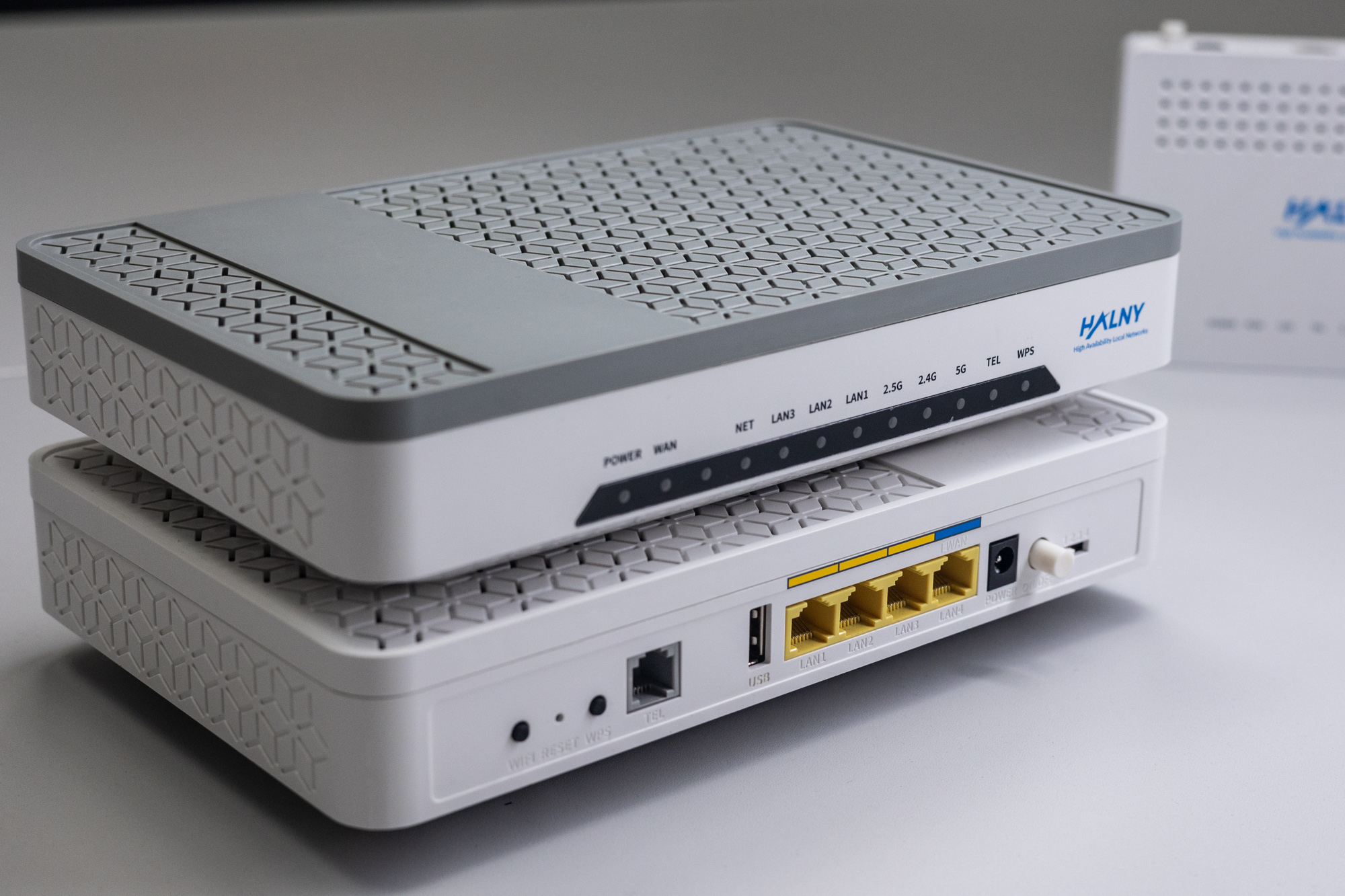
HALNy Integration
Supported SFU service scenarios
1. ONT configuration (Access mode, only INTERNET)

ONT was connect to the GPON port 2 with ONU_ID 23
1. Create DBA-profile
OLT1404A(config)# qos bwprof 1G ustype 4 sir 0 air 0 pir 10240002. Authorize ONT – set correct serial number and password (register method A)
OLT1404A(config)# remote ont ont-2-23
OLT1404A(config-ont)# inactive
OLT1404A(config-ont)# sn 48414C4E206FD8B8
OLT1404A(config-ont)# password 00000001
OLT1404A(config-ont)# bwgroup 1 usbwprofname 1G dsbwprofname 1G
OLT1404A(config-ont)# ontWan 1
OLT1404A(config-ont-wan)# vlan 400
OLT1404A(config-ont-wan)# exit
OLT1404A(config-ont)# no inactive
3. Set uniport configuration
OLT1404A(config)# remote uniport uniport-2-23-1-1
OLT1404A(config-remote-veip-uniport)# queue tc 1 priority 0 weight 0 usbwprofname 1G dsbwprofname 1G dsoption olt bwsharegroupid 1
OLT1404A(config-remote-veip-uniport)# vlan 100 txtag untag ingprof DEFVAL
OLT1404A(config-remote-veip-uniport)# pvid 100
OLT1404A(config-remote-veip-uniport)# no inactive
4. Verify ONT ip-host 1 address
OLT1404A# show remote ont ont-2-23 ontWan-status
  -------------------------------------------------------------------------------------------------------
  Wan 1                                : Enable
  Connection Type                      : IPoE
  Status                               : Down
  Nat                                  : Disable
  Service                              :
  Default Wan                          : Disable
  Vlan                                 : 400
  Priority                             : 0
  Auto get IP                          : Disable
  IP address                           : 172.17.60.122
  IP Mask                              : 255.255.254.0
  Gateway                              : 172.17.60.1
  Primary DNS                          : 172.16.16.240
  Secondary DNS                        : 185.228.168.10
  Binding lan port                     :
  Binding wifi 2.4G ssid               : N/A
  Binding wifi 5G ssid                 : N/A
  -------------------------------------------------------------------------------------------------------
2. ONT configuration (Access mode, only IPTV)

ONT was connect to the GPON port 2 with ONU_ID 24
1. Create DBA-profile
OLT1404A(config)# qos bwprof 1G ustype 4 sir 0 air 0 pir 10240002. Authorize ONT – set correct serial number and password (register method A)
OLT1404A(config)# remote ont ont-2-24
OLT1404A(config-ont)# inactive
OLT1404A(config-ont)# sn 48414C4E206FD8B8
OLT1404A(config-ont)# password 00000001
OLT1404A(config-ont)# bwgroup 1 usbwprofname 1G dsbwprofname 1G
OLT1404A(config-ont)# ontWan 1
OLT1404A(config-ont-wan)# vlan 400
OLT1404A(config-ont-wan)# exit
OLT1404A(config-ont)# no inactive
3. Set uniport configuration
OLT1404A(config)# remote uniport uniport-2-24-1-1
OLT1404A(config-remote-veip-uniport)# queue tc 1 priority 0 weight 0 usbwprofname 1G dsbwprofname 1G dsoption olt bwsharegroupid 1
OLT1404A(config-remote-veip-uniport)# vlan 200 txtag untag ingprof DEFVAL
OLT1404A(config-remote-veip-uniport)# pvid 200
OLT1404A(config-remote-veip-uniport)# igmpchannel 200 txtag transparent
OLT1404A(config-remote-veip-uniport)# no inactive
4. Verify ONT ip-host 1 address
OLT1404A# show remote ont ont-2-24 ontWan-status
  -------------------------------------------------------------------------------------------------------
  Wan 1                                : Enable
  Connection Type                      : IPoE
  Status                               : Down
  Nat                                  : Disable
  Service                              :
  Default Wan                          : Disable
  Vlan                                 : 400
  Priority                             : 0
  Auto get IP                          : Disable
  IP address                           : 172.17.60.122
  IP Mask                              : 255.255.254.0
  Gateway                              : 172.17.60.1
  Primary DNS                          : 172.16.16.240
  Secondary DNS                        : 185.228.168.10
  Binding lan port                     :
  Binding wifi 2.4G ssid               : N/A
  Binding wifi 5G ssid                 : N/A
  -------------------------------------------------------------------------------------------------------
3. ONT configuration (TRANSPARENT mode)

ONT was connect to the GPON port 2 with ONU_ID 25
1. Create DBA-profile
OLT1404A(config)# qos bwprof 1G ustype 4 sir 0 air 0 pir 10240002. Authorize ONT – set correct serial number and password (register method A)
OLT1404A(config)# remote ont ont-2-25
OLT1404A(config-ont)# inactive
OLT1404A(config-ont)# sn 48414C4E206FD8B8
OLT1404A(config-ont)# password 00000001
OLT1404A(config-ont)# bwgroup 1 usbwprofname 1G dsbwprofname 1G
OLT1404A(config-ont)# ontWan 1
OLT1404A(config-ont-wan)# vlan 400
OLT1404A(config-ont-wan)# exit
OLT1404A(config-ont)# no inactive
3. Set uniport configuration
OLT1404A(config)# remote uniport uniport-2-25-1-1
OLT1404A(config-remote-veip-uniport)# queue tc 1 priority 0 weight 0 usbwprofname 1G dsbwprofname 1G dsoption olt bwsharegroupid 1
OLT1404A(config-remote-veip-uniport)# vlan 100 ingprof DEFVAL
OLT1404A(config-remote-veip-uniport)# vlan 200 ingprof DEFVAL
OLT1404A(config-remote-veip-uniport)# vlan 300 ingprof DEFVAL
OLT1404A(config-remote-veip-uniport)# igmpchannel 200 txtag transparent
OLT1404A(config-remote-veip-uniport)# no inactive
4. Verify ONT ip-host 1 address
OLT1404A# show remote ont ont-2-25 ontWan-status
  -------------------------------------------------------------------------------------------------------
  Wan 1                                : Enable
  Connection Type                      : IPoE
  Status                               : Down
  Nat                                  : Disable
  Service                              :
  Default Wan                          : Disable
  Vlan                                 : 400
  Priority                             : 0
  Auto get IP                          : Disable
  IP address                           : 172.17.60.122
  IP Mask                              : 255.255.254.0
  Gateway                              : 172.17.60.1
  Primary DNS                          : 172.16.16.240
  Secondary DNS                        : 185.228.168.10
  Binding lan port                     :
  Binding wifi 2.4G ssid               : N/A
  Binding wifi 5G ssid                 : N/A
  -------------------------------------------------------------------------------------------------------
4. ONT configuration (Hybrid mode)

ONT was connect to the GPON port 2 with ONU_ID 26
1. Create DBA-profile
OLT1404A(config)# qos bwprof 1G ustype 4 sir 0 air 0 pir 10240002. Authorize ONT – set correct serial number and password (register method A)
OLT1404A(config)# remote ont ont-2-26
OLT1404A(config-ont)# inactive
OLT1404A(config-ont)# sn 48414C4E206FD8B8
OLT1404A(config-ont)# password 00000001
OLT1404A(config-ont)# bwgroup 1 usbwprofname 1G dsbwprofname 1G
OLT1404A(config-ont)# ontWan 1
OLT1404A(config-ont-wan)# vlan 400
OLT1404A(config-ont-wan)# exit
OLT1404A(config-ont)# no inactive
3. Set uniport configuration
OLT1404A(config)# remote uniport uniport-2-26-1-1
OLT1404A(config-remote-veip-uniport)# queue tc 1 priority 0 weight 0 usbwprofname 1G dsbwprofname 1G dsoption olt bwsharegroupid 1
OLT1404A(config-remote-veip-uniport)# vlan 100 txtag untag ingprof DEFVAL
OLT1404A(config-remote-veip-uniport)# vlan 200 ingprof DEFVAL
OLT1404A(config-remote-veip-uniport)# pvid 100
OLT1404A(config-remote-veip-uniport)# igmpchannel 200 txtag transparent
OLT1404A(config-remote-veip-uniport)# no inactive
4. Verify ONT ip-host 1 address
OLT1404A# show remote ont ont-2-26 ontWan-status
  -------------------------------------------------------------------------------------------------------
  Wan 1                                : Enable
  Connection Type                      : IPoE
  Status                               : Down
  Nat                                  : Disable
  Service                              :
  Default Wan                          : Disable
  Vlan                                 : 400
  Priority                             : 0
  Auto get IP                          : Disable
  IP address                           : 172.17.60.122
  IP Mask                              : 255.255.254.0
  Gateway                              : 172.17.60.1
  Primary DNS                          : 172.16.16.240
  Secondary DNS                        : 185.228.168.10
  Binding lan port                     :
  Binding wifi 2.4G ssid               : N/A
  Binding wifi 5G ssid                 : N/A
  -------------------------------------------------------------------------------------------------------
5. ONT configuration (VLAN translation – rBSA)

ONT was connect to the GPON port 2 with ONU_ID 27
1. Create DBA-profile
OLT1404A(config)# qos bwprof 1G ustype 4 sir 0 air 0 pir 10240002. Authorize ONT – set correct serial number and password (register method A)
OLT1404A(config)# remote ont ont-2-27
OLT1404A(config-ont)# inactive
OLT1404A(config-ont)# sn 48414C4E206FD8B8
OLT1404A(config-ont)# password 00000001
OLT1404A(config-ont)# bwgroup 1 usbwprofname 1G dsbwprofname 1G
OLT1404A(config-ont)# ontWan 1
OLT1404A(config-ont-wan)# vlan 400
OLT1404A(config-ont-wan)# exit
OLT1404A(config-ont)# no inactive
3. Set uniport configuration
OLT1404A(config)# remote uniport uniport-2-27-1-1
OLT1404A(config-remote-veip-uniport)# queue tc 1 priority 0 weight 0 usbwprofname 1G dsbwprofname 1G dsoption olt bwsharegroupid 1
OLT1404A(config-remote-veip-uniport)# vlan 35 network 100 ingprof DEFVAL
OLT1404A(config-remote-veip-uniport)# vlan 838 network 200 ingprof DEFVAL
OLT1404A(config-remote-veip-uniport)# vlan 839 network 300 ingprof DEFVAL
OLT1404A(config-remote-veip-uniport)# igmpchannel 838 txtag transparent
OLT1404A(config-remote-veip-uniport)# no inactive
4. Verify ONT ip-host 1 address
OLT1404A# show remote ont ont-2-27 ontWan-status
  -------------------------------------------------------------------------------------------------------
  Wan 1                                : Enable
  Connection Type                      : IPoE
  Status                               : Down
  Nat                                  : Disable
  Service                              :
  Default Wan                          : Disable
  Vlan                                 : 400
  Priority                             : 0
  Auto get IP                          : Disable
  IP address                           : 172.17.60.122
  IP Mask                              : 255.255.254.0
  Gateway                              : 172.17.60.1
  Primary DNS                          : 172.16.16.240
  Secondary DNS                        : 185.228.168.10
  Binding lan port                     :
  Binding wifi 2.4G ssid               : N/A
  Binding wifi 5G ssid                 : N/A
  -------------------------------------------------------------------------------------------------------
6. ONT configuration (802.1q in 802.1q Begin/End of Tunnel)

ONT was connect to the GPON port 2 with ONU_ID 28
1. Create DBA-profile
OLT1404A(config)# qos bwprof 1G ustype 4 sir 0 air 0 pir 10240002. Authorize ONT – set correct serial number and password (register method A)
OLT1404A(config)# remote ont ont-2-28
OLT1404A(config-ont)# inactive
OLT1404A(config-ont)# sn 48414C4E206FD8B8
OLT1404A(config-ont)# password 00000001
OLT1404A(config-ont)# bwgroup 1 usbwprofname 1G dsbwprofname 1G
OLT1404A(config-ont)# ontWan 1
OLT1404A(config-ont-wan)# vlan 400
OLT1404A(config-ont-wan)# exit
OLT1404A(config-ont)# no inactive
3. Set uniport configuration
OLT1404A(config)# remote uniport uniport-2-28-1-1
OLT1404A(config-remote-veip-uniport)# queue tc 1 priority 0 weight 0 usbwprofname 1G dsbwprofname 1G dsoption olt bwsharegroupid 1
OLT1404A(config-remote-veip-uniport)# vlan all network 999:all ingprof DEFVAL
OLT1404A(config-remote-veip-uniport)# no inactive
4. Verify ONT ip-host 1 address
OLT1404A# show remote ont ont-2-28 ontWan-status
  -------------------------------------------------------------------------------------------------------
  Wan 1                                : Enable
  Connection Type                      : IPoE
  Status                               : Down
  Nat                                  : Disable
  Service                              :
  Default Wan                          : Disable
  Vlan                                 : 400
  Priority                             : 0
  Auto get IP                          : Disable
  IP address                           : 172.17.60.122
  IP Mask                              : 255.255.254.0
  Gateway                              : 172.17.60.1
  Primary DNS                          : 172.16.16.240
  Secondary DNS                        : 185.228.168.10
  Binding lan port                     :
  Binding wifi 2.4G ssid               : N/A
  Binding wifi 5G ssid                 : N/A
  -------------------------------------------------------------------------------------------------------
7. ONT configuration (OSE / MdO)

ONT was connect to the GPON port 2 with ONU_ID 29
1. Create DBA-profile
OLT1404A(config)# qos bwprof 1G ustype 4 sir 0 air 0 pir 10240002. Authorize ONT – set correct serial number and password (register method A)
OLT1404A(config)# remote ont ont-2-29
OLT1404A(config-ont)# inactive
OLT1404A(config-ont)# sn 48414C4E206FD8B8
OLT1404A(config-ont)# password 00000001
OLT1404A(config-ont)# bwgroup 1 usbwprofname 1G dsbwprofname 1G
OLT1404A(config-ont)# ontWan 1
OLT1404A(config-ont-wan)# vlan 400
OLT1404A(config-ont-wan)# exit
OLT1404A(config-ont)# no inactive
3. Set uniport configuration
OLT1404A(config)# remote uniport uniport-2-29-1-1
OLT1404A(config-remote-veip-uniport)# queue tc 1 priority 0 weight 0 usbwprofname 1G dsbwprofname 1G dsoption olt bwsharegroupid 1
OLT1404A(config-remote-veip-uniport)# vlan 10 network 999:100 ingprof DEFVAL
OLT1404A(config-remote-veip-uniport)# vlan 11 network 999:200 ingprof DEFVAL
OLT1404A(config-remote-veip-uniport)# vlan 12 network 999:300 ingprof DEFVAL
OLT1404A(config-remote-veip-uniport)# no inactive
4. Verify ONT ip-host 1 address
OLT1404A# show remote ont ont-2-29 ontWan-status
  -------------------------------------------------------------------------------------------------------
  Wan 1                                : Enable
  Connection Type                      : IPoE
  Status                               : Down
  Nat                                  : Disable
  Service                              :
  Default Wan                          : Disable
  Vlan                                 : 400
  Priority                             : 0
  Auto get IP                          : Disable
  IP address                           : 172.17.60.122
  IP Mask                              : 255.255.254.0
  Gateway                              : 172.17.60.1
  Primary DNS                          : 172.16.16.240
  Secondary DNS                        : 185.228.168.10
  Binding lan port                     :
  Binding wifi 2.4G ssid               : N/A
  Binding wifi 5G ssid                 : N/A
  -------------------------------------------------------------------------------------------------------
ONT Managment
Note: Most provisioning and upgrade options below require ONT to have a valid IP Host setup. For detailed information regarding IP Host click here.
| Method | Configuration | Upgrade |
| Rest API V2 | [Example] | – |
| XML Provisioning [OLT CLI, DHCP 66/67, WEB] | [Example] | – |
| OTT | – | [Example] |
| OLT CLI | – | [Example] |
| TR-069 [DHCP 43] | [Example] | [Example] |
| WEB | [Example] | [Example] |
| Found something we can improve? Let us know at support@halny.com |
