Have a Question?
[ZYXEL] IES4204 OLT Integration with HALNy SFU 1 LAN
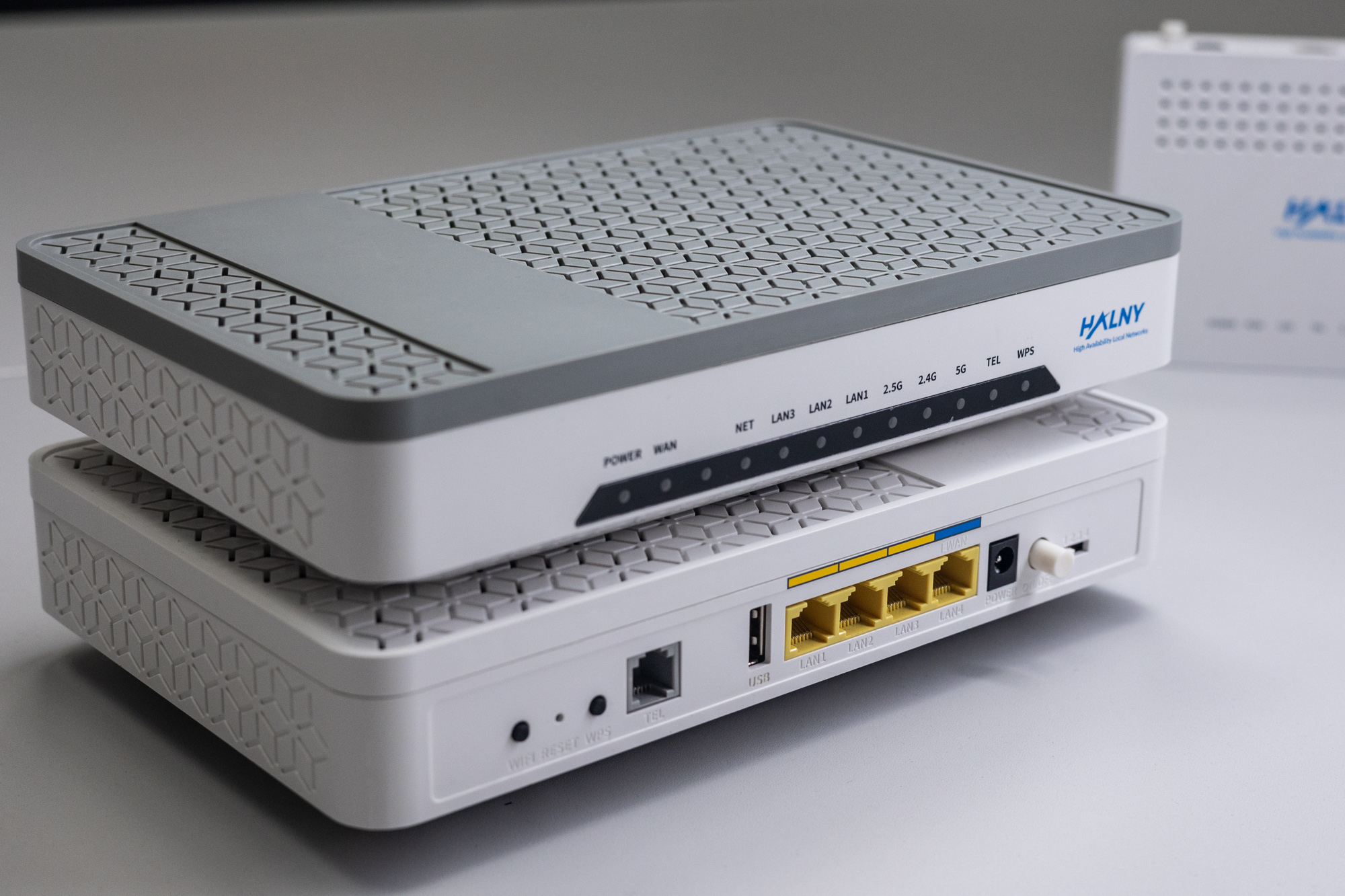
HALNy Integration
Supported SFU service scenarios
1. ONT configuration (Access mode, only INTERNET)

ONT was connect to the GPON port 2/1 with ONU_ID 8
1. Create DBA-profile
MSC1240QA(config)# xpon qos bwprof 1G
  sir 0 air 0 pir 1024000
MSC1240QA(config)# xpon qos bwprof 10G
  sir 0 air 0 pir 10000000
2. Create xpon uni-profile.
MSC1240QA(config)# xpon uni-profile SFU_INT_1_LAN
  no port xlan
  no port veip
  port lan 1~8 inactive
  no port lan 1 inactive
  port lan tag-oper-id 1
    uniport-list 1
    filter untag
    vlan 100/0
  exit
Attention: For ONT’s which have port 10G please configure the service on the xlan port like below:
MSC1240QA(config)# xpon uni-profile SFU_INT_1_LAN
  no port lan
  no port veip
  port xlan 1~8 inactive
  no port xlan 1 inactive
  port xlan tag-oper-id 1
    uniport-list 1
    filter unitag
    vlan 100/0
  exit
exit
3. Create service-profile.
MSC1240QA(config)# xpon service-profile LAN_V100
  mode bridge
  port lan 1
  vlan 100
exit
Attention: For ONT’s which have port 10G please configure the service on the xlan port like below:
MSC1240QA(config)# xpon service-profile LAN_V100
  mode bridge
  port xlan 1
  vlan 100
exit
4. Create template.
MSC1240QA(config)# xpon template SFU_INT_1_LAN
  service 1 service-profile LAN_V100 shared-priority 7 usbwprof 1G dsbwprof 1G
  tcont 1 services 1 usbwprof 1G dsbwprof 1G type best-effort
  uni-profile SFU_INT_1_LAN
Attention: For ONT’s which have port 10G please create template which uses 10G DBA-profile
MSC1240QA(config)# xpon template SFU_INT_1_LAN
  service 1 service-profile LAN_V100 shared-priority 7 usbwprof 10G dsbwprof 10G
  tcont 1 services 1 usbwprof 10G dsbwprof 10G type best-effort
  uni-profile SFU_INT_1_LAN
5. Authorize ONT – set correct serial number and password (register method A)
MSC1240QA(config)# interface remote xont 2-1-8
MSC1240QA(config-interface-xont-2-1-8)# inactive
   sn HALN08700180
   registration-id 00000001
   ip-host vlan 400/0 dynamic
   template SFU_INT_1_LAN
   no inactive
6. Verify ONT ip-host 1 address
MSC1240QA# show interface remote xont 2-1-8 ip-host status
  ----------------------+--------------------
    AID                 : ont-2-1-8
  ----------------------+--------------------
    vlan Id-config      : 400/0
    IP type-config      : dynamic
    IP address          : 172.17.60.130
    IP mask             : 255.255.254.0
    IP gateway          : 172.17.60.1
    IP Primary DNS      : 172.17.61.224
    IP Secondary DNS    : 172.17.60.1
  ----------------------+--------------------
2. ONT configuration (Access mode, only IPTV)

ONT was connect to the GPON port 2/1 with ONU_ID 9
1. Create DBA-profile
MSC1240QA(config)# xpon qos bwprof 1G
  sir 0 air 0 pir 1024000
MSC1240QA(config)# xpon qos bwprof 10G
  sir 0 air 0 pir 10000000
2. Create xpon uni-profile.
MSC1240QA(config)# xpon uni-profile SFU_IPTV_1_LAN
  no port xlan
  no port veip
  port lan 1~8 inactive
  no port lan 1 inactive
  port lan tag-oper-id 1
    uniport-list 1
    filter untag
    vlan 200/5
  exit
Attention: For ONT’s which have port 10G please configure the service on the xlan port like below:
MSC1240QA(config)# xpon uni-profile SFU_INT_1_LAN
  no port lan
  no port veip
  port xlan 1~8 inactive
  no port xlan 1 inactive
  port xlan tag-oper-id 1
    uniport-list 1
    filter unitag
    vlan 200/5
  exit
exit
3. Create service-profile.
MSC1240QA(config)# xpon service-profile LAN_V200
  mode bridge
  port lan 1
  vlan 200
exit
Attention: For ONT’s which have port 10G please configure the service on the xlan port like below:
MSC1240QA(config)# xpon service-profile LAN_V200
  mode bridge
  port xlan 1
  vlan 200
exit
4. Create multicast profile.
xpon multicast-profile iptv
  univid 200
  group-privilege-prof basic
exit
5. Create template.
MSC1240QA(config)# xpon template SFU_IPTV_1_LAN
  service 1 service-profile LAN_V200 shared-priority 7 usbwprof 1G dsbwprof 1G
  tcont 1 services 1 usbwprof 1G dsbwprof 1G type best-effort
  uni-profile SFU_IPTV_1_LAN
  multicast 1 multicast-profile iptv
Attention: For ONT’s which have port 10G please create template which uses 10G DBA-profile
MSC1240QA(config)# xpon template SFU_IPTV_1_LAN
  service 1 service-profile LAN_V100 shared-priority 7 usbwprof 10G dsbwprof 10G
  tcont 1 services 1 usbwprof 10G dsbwprof 10G type best-effort
  uni-profile SFU_INT_1_LAN
6. Authorize ONT – set correct serial number and password (register method A)
MSC1240QA(config)# interface remote xont 2-1-9
MSC1240QA(config-interface-xont-2-1-9)# inactive
   sn HALN08700180
   registration-id 00000001
   ip-host vlan 400/0 dynamic
   template SFU_IPTV_1_LAN
   no inactive
7. Verify ONT ip-host 1 address
MSC1240QA# show interface remote xont 2-1-9 ip-host status
  ----------------------+--------------------
    AID                 : ont-2-1-9
  ----------------------+--------------------
    vlan Id-config      : 400/0
    IP type-config      : dynamic
    IP address          : 172.17.60.130
    IP mask             : 255.255.254.0
    IP gateway          : 172.17.60.1
    IP Primary DNS      : 172.17.61.224
    IP Secondary DNS    : 172.17.60.1
  ----------------------+--------------------
3. ONT configuration (TRANSPARENT mode)

ONT was connect to the GPON port 2/1 with ONU_ID 10
1. Create DBA-profile
MSC1240QA(config)# xpon qos bwprof 1G
  sir 0 air 0 pir 1024000
MSC1240QA(config)# xpon qos bwprof 10G
  sir 0 air 0 pir 10000000
2. Create xpon uni-profile.
MSC1240QA(config)# xpon uni-profile SFU_TRANS_1_LAN
  no port xlan
  no port veip
  port lan 1~8 inactive
  no port lan 1 inactive
  port lan tag-oper-id 1
    uniport-list 1
    filter uni-vlan 300
    vlan 300
  exit
    port lan tag-oper-id 2
    uniport-list 1
    filter uni-vlan 200
    vlan 200
  exit
  port lan tag-oper-id 3
    uniport-list 1
    filter uni-vlan 100
    vlan 100
  exit
 exit
Attention: For ONT’s which have port 10G please configure the service on the xlan port like below:
MSC1240QA(config)# xpon uni-profile SFU_TRANS_1_LAN
  no port lan
  no port veip
  port xlan 1~8 inactive
  no port xlan 1 inactive
  port xlan tag-oper-id 1
    uniport-list 1
    filter uni-vlan 300
    vlan 300
  exit
    port xlan tag-oper-id 2
    uniport-list 1
    filter uni-vlan 200
    vlan 200
  exit
  port xlan tag-oper-id 3
    uniport-list 1
    filter uni-vlan 100
    vlan 100
  exit
 exit
3. Create service-profiles.
MSC1240QA(config)# xpon service-profile LAN_V100
  mode bridge
  port lan 1
  vlan 100
exit

MSC1240QA(config)# xpon service-profile LAN_V200
  mode bridge
  port lan 1
  vlan 200
exit

MSC1240QA(config)# xpon service-profile LAN_V300
  mode bridge
  port lan 1
  vlan 300
exit

MSC1240QA(config)# xpon service-profile LAN_V400
  mode bridge
  port lan 1
  vlan 400
exit
Attention: For ONT’s which have port 10G please configure the service on the xlan port like below:
MSC1240QA(config)# xpon service-profile LAN_V100
  mode bridge
  port xlan 1
  vlan 100
exit

MSC1240QA(config)# xpon service-profile LAN_V200
  mode bridge
  port xlan 1
  vlan 200
exit

MSC1240QA(config)# xpon service-profile LAN_V300
  mode bridge
  port xlan 1
  vlan 300
exit

MSC1240QA(config)# xpon service-profile LAN_V400
  mode bridge
  port xlan 1
  vlan 400
exit
4. Create multicast profile.
MSC1240QA(config)# xpon multicast-profile MULTI-TAG
  univid 200
  group-privilege-prof IGMP
  txtag-mode transparent
exit
5. Create template.
MSC1240QA(config)# xpon template SFU_TRANS_1_LAN
  service 1 service-profile LAN_V300 shared-priority 2 usbwprof 1G dsbwprof 1G
  service 2 service-profile LAN_V200 shared-priority 5 usbwprof 1G dsbwprof 1G
  service 3 service-profile LAN_V100 shared-priority 6 usbwprof 1G dsbwprof 1G
  service 4 service-profile LAN_V400 shared-priority 0 usbwprof 1G dsbwprof 1G
  tcont 1 services 1 usbwprof 1G dsbwprof 1G type best-effort
  tcont 2 services 2 usbwprof 1G dsbwprof 1G type best-effort
  tcont 3 services 3 usbwprof 1G dsbwprof 1G type best-effort
  tcont 4 services 4 usbwprof 1G dsbwprof 1G type best-effort
  uni-profile SFU_TRANS_1_LAN
  multicast 1 multicast-profile MULTI-TAG
exit
Attention: For ONT’s which have port 10G please create template which uses 10G DBA-profile
MSC1240QA(config)# xpon template SFU_TRANS_1_LAN
  service 1 service-profile LAN_V300 shared-priority 2 usbwprof 10G dsbwprof 10G
  service 2 service-profile LAN_V200 shared-priority 5 usbwprof 10G dsbwprof 10G
  service 3 service-profile LAN_V100 shared-priority 6 usbwprof 10G dsbwprof 10G
  service 4 service-profile LAN_V400 shared-priority 0 usbwprof 10G dsbwprof10G
  tcont 1 services 1 usbwprof 10G dsbwprof 10G type best-effort
  tcont 2 services 2 usbwprof 10G dsbwprof 10G type best-effort
  tcont 3 services 3 usbwprof 10G dsbwprof 10G type best-effort
  tcont 4 services 4 usbwprof 10G dsbwprof 10G type best-effort
  uni-profile SFU_TRANS_1_LAN
  multicast 1 multicast-profile MULTI-TAG
exit
6. Authorize ONT – set correct serial number and password (register method A)
MSC1240QA(config)# interface remote xont 2-1-10
MSC1240QA(config-interface-xont-2-1-10)# inactive
   sn HALN08700180
   registration-id 00000001
   ip-host vlan 400/0 dynamic
   template SFU_TRANS_1_LAN
   no inactive
7. Verify ONT ip-host 1 address
MSC1240QA# show interface remote xont 2-1-10 ip-host status
  ----------------------+--------------------
    AID                 : ont-2-1-10
  ----------------------+--------------------
    vlan Id-config      : 400/0
    IP type-config      : dynamic
    IP address          : 172.17.60.130
    IP mask             : 255.255.254.0
    IP gateway          : 172.17.60.1
    IP Primary DNS      : 172.17.61.224
    IP Secondary DNS    : 172.17.60.1
  ----------------------+--------------------
ONT Managment
Note: Most provisioning and upgrade options below require ONT to have a valid IP Host setup. For detailed information regarding IP Host click here.
| Method | Configuration | Upgrade |
| Rest API V2 | [Example] | – |
| XML Provisioning [DHCP 66/67, WEB] | – | – |
| OTT | – | [Example] |
| OLT CLI | – | [Example] |
| TR-069 [DHCP 43] | [Example] | [Example] |
| WEB | [Example] | [Example] |
| Found something we can improve? Let us know at support@halny.com |