
Have a Question?
[DASAN] sdNos V1-16XC FW: 5.03 #062 OLT Integration with HALNy SFU 1 LAN
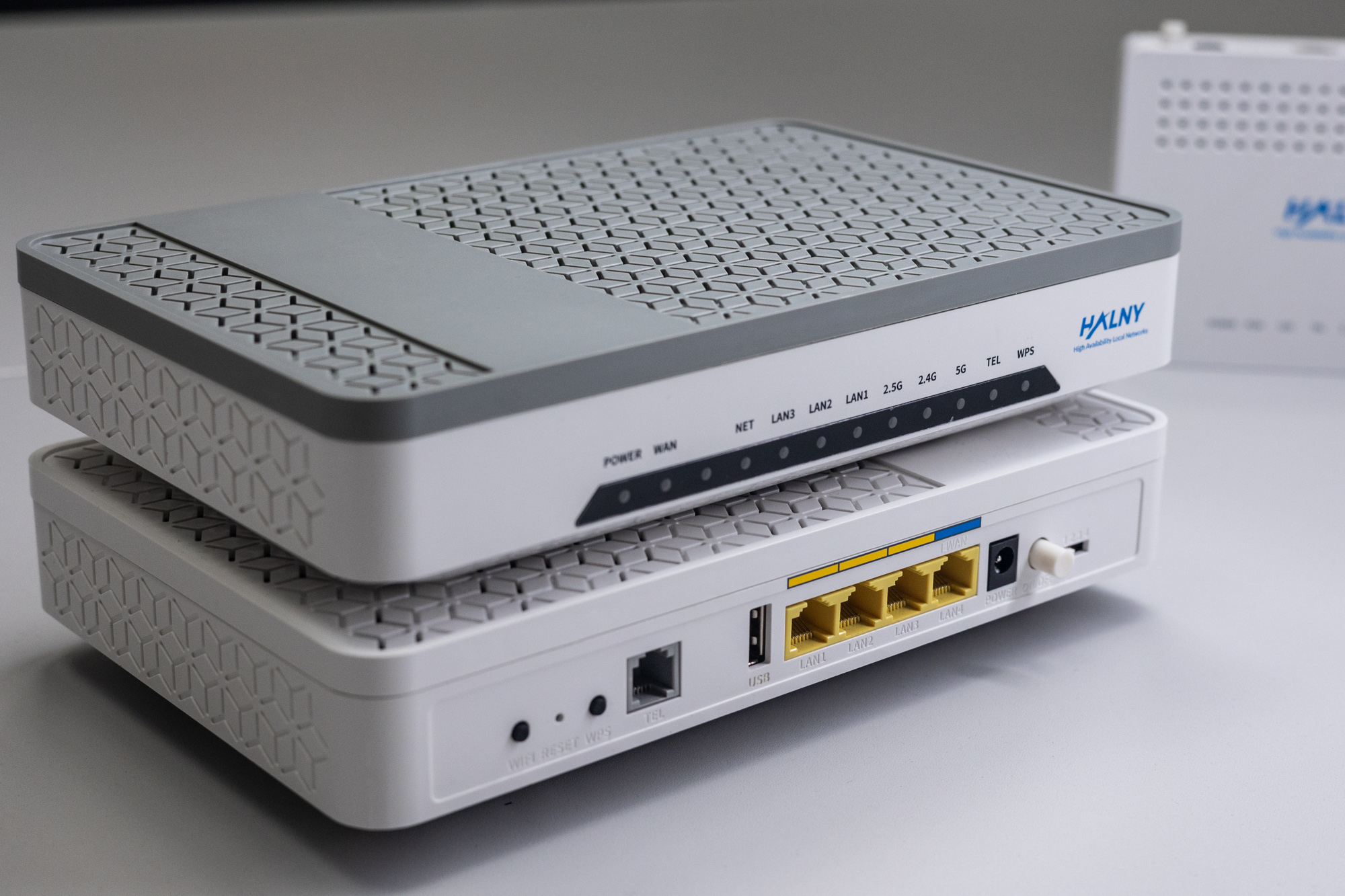
HALNy Integration
Supported SFU service scenarios
GPON port configuration
Define OLT vlan-flow
 olt vlan-flow 1 s-vid 400 tpid 0x8100 mac-lookup
 olt vlan-flow 2 s-vid 100 tpid 0x8100 mac-lookup
 olt vlan-flow 3 s-vid 200 tpid 0x8100 mac-lookup
 olt vlan-flow 4 s-vid 300 tpid 0x8100 mac-lookup
1. ONT configuration (Access mode, only INTERNET)

ONT was connect to the GPON port 0/2 with ONU_ID 11
1. Create DBA Profile
V1-16XC(config)# dba-profile DBA
  mode sr
  sla fixed 1024
  sla maximum 1031616
  apply

V1-16XC(config)#dba-profile DBA_10G
  mode sr
  sla fixed 1024
  sla maximum 9870208
  apply
2. Create access VLAN configuration
V1-16XC(config)# extended-vlan-tagging-operation INTERNET
  downstream-mode enable
  untagged-frame 1
   treat inner vid 100 cos 0 tpid 0x8100
  apply
3. Create MGMT VLAN configuration
V1-16XC(config)# extended-vlan-tagging-operation MGMT
  downstream-mode enable
  untagged-frame 1
   treat inner vid 400 cos 0 tpid 0x8100
  apply
4. Create traffic-profile
Attention: For ONT’s which have port 10G please use DBA_10G
Max-frame for such port should be set to 9216.
 V1-16XC(config)# traffic-profile SFU_INT_1_LAN
  tcont 1
   gemport 1/1
   dba-profile DBA
  tcont 2
   gemport 2/1
   dba-profile DBA
  mapper 1
   gemport count 1
  mapper 2
   gemport count 1
  bridge 1
   ani mapper 1
   uni eth 1
    extended-vlan-tagging-operation INTERNET
    max-frame 2036
  bridge 2
   ani mapper 2
   link ip-host-config 1
  ip-host-config 1
   ip address dhcp
   extended-vlan-tagging-operation MGMT
  apply
5. Create onu-profile
V1-16XC(config)# onu-profile SFU_INT_1_LAN
  traffic-profile SFU_INT_1_LAN
  apply
6. Assign onu-profile to ONT
V1-16XC(config-if[gpon0/2])# onu-profile 11 SFU_INT_1_LAN7. Assign ‘olt vp’ rules
V1-16XC(config-if[gpon0/2])# olt vp 17 vlan-flow 1 s-vid 400 mapping-onu 11 gemport 2/1
V1-16XC(config-if[gpon0/2])# olt vp 18 vlan-flow 2 s-vid 100 mapping-onu 11 gemport 1/1
8. Verify ONT ip-host 1 IP address
V1-16XC(config-if[gpon0/2])# show onu ip-host 11
---------------------------------------------------------------
 OLT : gpon0/2, ONU : 11, Host : 1(0x0000)
---------------------------------------------------------------
 IP Option             : DHCP
 MAC Address           : e05a.9f60.44b0
 Current IP            : 172.17.60.174
 Current Mask          : 255.255.254.0
 Current Gateway       : 172.17.60.1
 Current Primary DNS   : 172.17.61.224
 Current Secondary DNS : 172.17.60.1
 Domain name           :
 Host name             : IPHOST: WWW/XML/TR069
2. ONT configuration (Access mode, only IPTV)

ONT was connect to the GPON port 0/2 with ONU_ID 12
1. Create DBA Profile
V1-16XC(config)# dba-profile DBA
  mode sr
  sla fixed 1024
  sla maximum 1031616
  apply

V1-16XC(config)#dba-profile DBA_10G
  mode sr
  sla fixed 1024
  sla maximum 9870208
  apply
2. Create multicast VLAN configuration
V1-16XC(config)# extended-vlan-tagging-operation IPTV
  downstream-mode enable
  untagged-frame 1
   treat inner vid 200 cos 0 tpid 0x8100
  apply
3. Create multicast-profile
V1-16XC(config)# multicast-profile MULTI
  igmp robustness-variable 7
  igmp access-list vid 200 dst-ip start 224.0.0.1 end 239.255.255.255 bw 4294952 gem 4094
  apply
4. Create MGMT VLAN configuration
V1-16XC(config)# extended-vlan-tagging-operation MGMT
  downstream-mode enable
  untagged-frame 1
   treat inner vid 400 cos 0 tpid 0x8100
  apply
5. Create traffic-profile
Attention: For ONT’s which have port 10G please use DBA_10G
Max-frame for such port should be set to 9216.
 V1-16XC(config)# traffic-profile SFU_IPTV_1_LAN
  tcont 1
   gemport 1/1
   dba-profile DBA
  tcont 2
   gemport 2/1
   dba-profile DBA
  mapper 1
   gemport count 1
  mapper 2
   gemport count 1
  bridge 1
   ani mapper 1
   uni eth 1
    multicast-profile MULTI
    extended-vlan-tagging-operation IPTV
    max-frame 2036
  bridge 2
   ani mapper 2
   link ip-host-config 1
  ip-host-config 1
   ip address dhcp
   extended-vlan-tagging-operation MGMT
  apply
6. Create onu-profile
V1-16XC(config)# onu-profile SFU_IPTV_1_LAN
  traffic-profile SFU_IPTV_1_LAN
  apply
7. Assign onu-profile to ONT
V1-16XC(config-if[gpon0/2])# onu-profile 12 SFU_IPTV_1_LAN8. Assign ‘olt vp’ rules
V1-16XC(config-if[gpon0/2])# olt vp 19 vlan-flow 1 s-vid 400 mapping-onu 12 gemport 2/1
V1-16XC(config-if[gpon0/2])# olt vp 20 vlan-flow 3 s-vid 200 mapping-onu 12 gemport 1/1
9. Verify ONT ip-host 1 IP address
V1-16XC(config-if[gpon0/2])# show onu ip-host 12
---------------------------------------------------------------
 OLT : gpon0/2, ONU : 12, Host : 1(0x0000)
---------------------------------------------------------------
 IP Option             : DHCP
 MAC Address           : e05a.9f60.44b0
 Current IP            : 172.17.60.174
 Current Mask          : 255.255.254.0
 Current Gateway       : 172.17.60.1
 Current Primary DNS   : 172.17.61.224
 Current Secondary DNS : 172.17.60.1
 Domain name           :
 Host name             : IPHOST: WWW/XML/TR069
3. ONT configuration (Access mode, INTERNET+ VoIP)

ONT was connect to the GPON port 0/2 with ONU_ID 16
VoIP number is 9001
1. Create DBA Profile
V1-16XC(config)# dba-profile DBA
  mode sr
  sla fixed 1024
  sla maximum 1031616
  apply

V1-16XC(config)#dba-profile DBA_10G
  mode sr
  sla fixed 1024
  sla maximum 9870208
  apply
2. MGMT VLAN configuration
V1-16XC(config)#extended-vlan-tagging-operation MGMT
  downstream-mode enable
  untagged-frame 1
   treat inner vid 400 cos 0 tpid 0x8100
  apply
3. Create Internet Access VLAN configuration
V1-16XC(config)#extended-vlan-tagging-operation INT
  downstream-mode enable
  untagged-frame 1
   treat inner vid 100 cos 0 tpid 0 x8100
  apply
4. Create VoIP VLAN configuration
V1-16XC(config)#extended-vlan-tagging-operation VoIP
  downstream-mode enable
  untagged-frame 1
   treat inner vid 300 cos 0 tpid 0 x8100
  apply
5. Create ONU voip-profile
 voip-profile VOIP
  codec-nego 1 codec pcmu packet-period 10 silence-suppression 0
  codec-nego 2 codec pcma packet-period 10 silence-suppression 0
  codec-nego 3 codec g729 packet-period 10 silence-suppression 0
  codec-nego 4 codec g723 packet-period 10 silence-suppression 0
  protocol sip
   proxy-server 172.16.1.2
   outbound-proxy-server 172.16.1.2
   register-server 172.16.1.2
   host-part-server 172.16.1.2
   reg-exp-time 60
   caller-id call-number
   dial-plan table 1 [0-9*#].
  apply
6. Create ONU traffic-profile
Attention: For ONT’s which have port 10G please use DBA_10G
Max-frame for such port should be set to 9216.
V1-16XC(config)#traffic-profile SFU_INT_VOIP_1_LAN
 tcont 1
  gemport 1/1
  dba-profile DBA
 tcont 2
  gemport 2/1
  dba-profile DBA
 tcont 3
  gemport 3/1
  dba-profile DBA
 mapper 1
  gemport count 1
 mapper 2
  gemport count 1
 mapper 3
  gemport count 1
 bridge 1
  ani mapper 1
  uni eth 1
   extended-vlan-tagging-operation INT
   max-frame 2036
 bridge 2
  ani mapper 2
  link ip-host-config 1
 bridge 3
  ani mapper 3
  link ip-host-config 2
 ip-host-config 1
  ip address dhcp
  extended-vlan-tagging-operation MGMT
  apply
 ip-host-config 2
  ip address dhcp
  link voip-service 1
  extended-vlan-tagging-operation VoIP
 voip-service 1
  manage-method omci
  voip-profile VOIP
  uni pots 1
 apply
7. Create onu-profile
V1-16XC(config)#onu-profile SFU_INT_VOIP_1_LAN
  traffic-profile SFU_INT_VOIP_1_LAN
  apply
8. Assign onu-profile to ONT
V1-16XC(config-if[gpon0/2])#onu-profile 16 SFU_INT_VOIP_1_LAN9. Set VoIP account
V1-16XC(config-if[gpon0/2])#onu voip-sip 16 auth pots 1 9001 123456
V1-16XC(config-if[gpon0/2])#onu voip-sip 16 phone-number pots 1 9001 display 9001
10. Assign ‘olt vp’ rules
V1-16XC(config-if[gpon0/2])#
 olt vp 31 vlan-flow 2 s-vid 100 mapping-onu 16 gemport 1/1
 olt vp 32 vlan-flow 1 s-vid 400 mapping-onu 16 gemport 2/1
 olt vp 33 vlan-flow 4 s-vid 300 mapping-onu 16 gemport 3/1
12. Verify ONT ip-host 1 IP address
V1-16XC(config-if[gpon0/2])#show onu ip-host 16
---------------------------------------------------------------
 OLT : GPON0/2, ONU : 16, Host : 1(0x0000)
---------------------------------------------------------------
 IP Option             : DHCP
 MAC Address           : e0:5a:9f:2d:82:b0
 Current IP            : 172.17.60.117
 Current Mask          : 255.255.254.0
 Current Gateway       : 172.17.60.1
 Current Primary DNS   : 172.17.60.1
 Current Secondary DNS : 0.0.0.0
 Domain name           :
 Host name             :
4. ONT configuration (TRANSPARENT mode)

ONT was connect to the GPON port 0/2 with ONU_ID 13
1. Create DBA Profile
V1-16XC(config)# dba-profile DBA
  mode sr
  sla fixed 1024
  sla maximum 1031616
  apply

V1-16XC(config)#dba-profile DBA_10G
  mode sr
  sla fixed 1024
  sla maximum 9870208
  apply
2. Create VLANs configuration
V1-16XC(config)# extended-vlan-tagging-operation TRANS
  downstream-mode enable
  single-tagged-frame 1
   filter inner vid 100 cos any tpid any
   treat remove single
   treat inner vid 100 cos 6 tpid copy-inner
  single-tagged-frame 2
   filter inner vid 200 cos any tpid any
   treat remove single
   treat inner vid 200 cos 5 tpid copy-inner
  single-tagged-frame 3
   filter inner vid 300 cos any tpid any
   treat remove single
   treat inner vid 300 cos 2 tpid copy-inner
  apply
Dasan V1-16XC supports transparent forwarding of up to 8 VLANs per tcont
3. Create MGMT VLAN configuration
V1-16XC(config)# extended-vlan-tagging-operation MGMT
  downstream-mode enable
  untagged-frame 1
   treat inner vid 400 cos 0 tpid 0x8100
  apply
4. Create multicast-profile
V1-16XC(config)# multicast-profile MULTI
  igmp robustness-variable 7
  igmp access-list vid 200 dst-ip start 224.0.0.1 end 239.255.255.255 bw 4294952 gem 4094
  apply
5. Create traffic-profile
Attention: For ONT’s which have port 10G please use DBA_10G
Max-frame for such port should be set to 9216.
V1-16XC(config)# traffic-profile SFU_TRANS_1_LAN
  tcont 1
   gemport 1/1-1/8
   dba-profile DBA
  tcont 2
   gemport 2/1
   dba-profile DBA
  mapper 1
   gemport count 8
  mapper 2
   gemport count 1
  bridge 1
   ani mapper 1
   uni eth 1
    multicast-profile MULTI
    extended-vlan-tagging-operation TRANS
    max-frame 2036
  bridge 2
   ani mapper 2
   link ip-host-config 1
  ip-host-config 1
   ip address dhcp
   extended-vlan-tagging-operation MGMT
  apply
6. Create onu-profile
 V1-16XC(config)# onu-profile SFU_TRANS_1_LAN
  traffic-profile SFU_TRANS_1_LAN
  apply
7. Assign onu-profile to ONT
V1-16XC(config-if[gpon0/2])# onu-profile 13 SFU_TRANS_1_LAN8. Assign ‘olt vp’ rules
V1-16XC(config-if[gpon0/2])# olt vp 21 vlan-flow 1 s-vid 400 mapping-onu 13 gemport 2/1
V1-16XC(config-if[gpon0/2])# olt vp 22 vlan-flow 2 s-vid 100 mapping-onu 13 gemport 1/7
V1-16XC(config-if[gpon0/2])# olt vp 23 vlan-flow 3 s-vid 200 mapping-onu 13 gemport 1/6
V1-16XC(config-if[gpon0/2])# olt vp 24 vlan-flow 4 s-vid 300 mapping-onu 13 gemport 1/3
9. Verify ONT ip-host 1 IP address
V1-16XC(config-if[gpon0/2])# show onu ip-host 13
---------------------------------------------------------------
 OLT : gpon0/2, ONU : 13, Host : 1(0x0000)
---------------------------------------------------------------
 IP Option             : DHCP
 MAC Address           : e05a.9f60.44b0
 Current IP            : 172.17.60.174
 Current Mask          : 255.255.254.0
 Current Gateway       : 172.17.60.1
 Current Primary DNS   : 172.17.61.224
 Current Secondary DNS : 172.17.60.1
 Domain name           :
 Host name             : IPHOST: WWW/XML/TR069
5. ONT configuration (Hybrid mode)

ONT was connect to the GPON port 0/2 with ONU_ID 14
1. Create DBA Profile
V1-16XC(gpon)#dba-profile DBA
  mode sr
  sla fixed 1024
  sla maximum 1031616
  apply

V1-16XC(config)#dba-profile DBA_10G
  mode sr
  sla fixed 1024
  sla maximum 9870208
  apply
2. Create VLANs configuration
V1-16XC(gpon)#extended-vlan-tagging-operation Hybrid
  downstream-mode enable
  single-tagged-frame 1
   filter inner vid 200 cos any tpid any
   treat remove single
   treat inner vid 200 cos 1 tpid 0x8100
  untagged-frame 1
   treat inner vid 100 cos 0 tpid 0x8100
  apply
Dasan V1-16XC supports transparent forwarding of up to 8 VLANs per tcont
3. Create MGMT VLAN configuration
V1-16XC(gpon)#extended-vlan-tagging-operation MGMT
  downstream-mode enable
  untagged-frame 1
   treat inner vid 400 cos 0 tpid 0x8100
  apply
4. Create multicast-profile
V1-16XC(gpon)#multicast-profile MULTI
  igmp robustness-variable 7
  igmp access-list vid 200 dst-ip start 224.0.0.1 end 239.255.255.255 bw 4294952 gem 4094
  apply
5. Create traffic-profile
Attention: For ONT’s which have port 10G please use DBA_10G
Max-frame for such port should be set to 9216.
V1-16XC(gpon)#traffic-profile SFU_Hybrid_1_LAN
  tcont 1
   gemport 1/1-1/8
   dba-profile DBA
  tcont 2
   gemport 2/1
   dba-profile DBA
  mapper 1
   gemport count 8
  mapper 2
   gemport count 1
  bridge 1
   ani mapper 1
   uni eth 1
    multicast-profile MULTI
    extended-vlan-tagging-operation Hybrid
    max-frame 2036
  bridge 2
   ani mapper 2
   link ip-host-config 1
  ip-host-config 1
   ip address dhcp
   extended-vlan-tagging-operation MGMT
  apply
6. Create onu-profile
 V1-16XC(gpon)#onu-profile SFU_Hybrid_1_LAN
  traffic-profile SFU_Hybrid_1_LAN
  apply
7. Assign onu-profile to ONT
V1-16XC(config-gpon-olt[2])#onu-profile 14 SFU_Hybrid_1_LAN8. Assign OLT vp rules
V1-16XC(config-if[gpon0/2])# olt vp 24 vlan-flow 1 s-vid 400 mapping-onu 14 gemport 2/1
V1-16XC(config-if[gpon0/2])# olt vp 25 vlan-flow 2 s-vid 100 mapping-onu 14 gemport 1/1
V1-16XC(config-if[gpon0/2])# olt vp 26 vlan-flow 3 s-vid 200 mapping-onu 14 gemport 1/2
9. Verify ONT ip-host 1 IP address
V1-16XC(config-if[gpon0/2])# show onu ip-host 14
---------------------------------------------------------------
 OLT : gpon0/2, ONU : 14, Host : 1(0x0000)
---------------------------------------------------------------
 IP Option             : DHCP
 MAC Address           : e05a.9f60.44b0
 Current IP            : 172.17.60.174
 Current Mask          : 255.255.254.0
 Current Gateway       : 172.17.60.1
 Current Primary DNS   : 172.17.61.224
 Current Secondary DNS : 172.17.60.1
 Domain name           :
 Host name             : IPHOST: WWW/XML/TR069
6. ONT configuration (VLAN translation – rBSA)

ONT was connect to the GPON port 2 with ONU_ID 15
1. Create DBA Profile
V1-16XC(gpon)#dba-profile DBA
  mode sr
  sla fixed 1024
  sla maximum 1031616
  apply

V1-16XC(config)#dba-profile DBA_10G
  mode sr
  sla fixed 1024
  sla maximum 9870208
  apply
2. Create VLANs configuration
V1-16XC(gpon)#extended-vlan-tagging-operation RBSA
  downstream-mode enable
  single-tagged-frame 1
   filter inner vid 35 cos any tpid any
   treat remove single
   treat inner vid 100 cos 6 tpid copy-inner
  single-tagged-frame 2
   filter inner vid 838 cos any tpid any
   treat remove single
   treat inner vid 200 cos 5 tpid copy-inner
  single-tagged-frame 3
   filter inner vid 839 cos any tpid any
   treat remove single
   treat inner vid 300 cos 2 tpid copy-inner
  apply
Dasan V1-16XC supports transparent forwarding of up to 8 VLANs per tcont
3. Create MGMT VLAN configuration
V5808(gpon)#extended-vlan-tagging-operation MGMT
  downstream-mode enable
  untagged-frame 1
   treat inner vid 400 cos 0 tpid 0x8100
  apply
4. Create multicast-profile
V1-16XC(gpon)#multicast-profile MULTI
  igmp robustness-variable 7
  igmp access-list vid 200 dst-ip start 224.0.0.1 end 239.255.255.255 bw 4294952 gem 4094
  apply
5. Create traffic-profile
Attention: For ONT’s which have port 10G please use DBA_10G
Max-frame for such port should be set to 9216.
V1-16XC(gpon)#traffic-profile SFU_RBSA_1_LAN
  tcont 1
   gemport 1/1-1/8
   dba-profile DBA
  tcont 2
   gemport 2/1
   dba-profile DBA
  mapper 1
   gemport count 8
  mapper 2
   gemport count 1
  bridge 1
   ani mapper 1
   uni eth 1
    multicast-profile MULTI
    extended-vlan-tagging-operation RBSA
    max-frame 2036
  bridge 2
   ani mapper 2
   link ip-host-config 1
  ip-host-config 1
   ip address dhcp
   extended-vlan-tagging-operation MGMT
  apply
6. Create onu-profile
 V5808(gpon)#onu-profile SFU_RBSA_1_LAN
  traffic-profile SFU_RBSA_1_LAN
  apply
7. Assign onu-profile to ONT
V1-16XC(config-gpon-olt[2])#onu-profile 15 SFU_RBSA_1_LAN8. Assign OLT vp rules.
V1-16XC(config-if[gpon0/2])# olt vp 27 vlan-flow 1 s-vid 400 mapping-onu 15 gemport 2/1
V1-16XC(config-if[gpon0/2])# olt vp 28 vlan-flow 2 s-vid 100 mapping-onu 15 gemport 1/7
V1-16XC(config-if[gpon0/2])# olt vp 29 vlan-flow 3 s-vid 200 mapping-onu 15 gemport 1/6
V1-16XC(config-if[gpon0/2])# olt vp 30 vlan-flow 4 s-vid 300 mapping-onu 15 gemport 1/3
9. Verify ONT ip-host 1 IP address
V1-16XC(config-if[gpon0/2])# show onu ip-host 15
---------------------------------------------------------------
 OLT : gpon0/2, ONU : 15, Host : 1(0x0000)
---------------------------------------------------------------
 IP Option             : DHCP
 MAC Address           : e05a.9f60.44b0
 Current IP            : 172.17.60.174
 Current Mask          : 255.255.254.0
 Current Gateway       : 172.17.60.1
 Current Primary DNS   : 172.17.61.224
 Current Secondary DNS : 172.17.60.1
 Domain name           :
 Host name             : IPHOST: WWW/XML/TR069
7. ONT configuration (802.1q in 802.1q Begin/End of Tunnel)

ONT was connect to the GPON port 0/2 with ONU_ID 60
1. Create DBA Profile
V1-16XC(config)#dba-profile DBA_10G
  mode sr
  sla fixed 1024
  sla maximum 9870208
  apply

V1-16XC(config)#dba-profile DBA
  mode sr
  sla fixed 1024
  sla maximum 1031616
  apply
2. Create multicast-profile
V1-16XC(config)#multicast-profile MULTI
  igmp robustness-variable 7
  igmp access-list vid 200 dst-ip start 224.0.0.1 end 239.255.255.255 bw 4294952 gem 4094
  apply
3. Create VLANs configuration
V1-16XC(config)#extended-vlan-tagging-operation QinQ
  downstream-mode enable
  single-tagged-frame 1
   filter inner vid 100 cos any tpid any
   treat remove single
   treat inner vid 100 cos 0 tpid copy-inner
  single-tagged-frame 2
   filter inner vid 200 cos any tpid any
   treat remove single
   treat inner vid 200 cos 1 tpid copy-inner
  single-tagged-frame 3
   filter inner vid 300 cos any tpid any
   treat remove single
   treat inner vid 300 cos 2 tpid copy-inner
  apply
4. Create MGMT VLAN configuration
V1-16XC(config)#extended-vlan-tagging-operation MGMT
  downstream-mode enable
  untagged-frame 1
   treat inner vid 400 cos 0 tpid 0x8100
  apply
5. Create traffic-profile
Attention: For ONT’s which have port 10G please use DBA_10G
Max-frame for such port should be set to 9216.
V1-16XC(config)#traffic-profile SFU_QinQ_1_LAN
 tcont 1
  gemport 1/1-1/8
  dba-profile DBA
 tcont 2
  gemport 2/1
  dba-profile DBA
 mapper 1
  gemport count 8
 mapper 2
  gemport count 1
 bridge 1
  ani mapper 1
  uni eth 1
   multicast-profile MULTI
   extended-vlan-tagging-operation QinQ
   max-frame 2036
 bridge 2
  ani mapper 2
  link ip-host-config 1
 ip-host-config 1
  ip address dhcp
  extended-vlan-tagging-operation MGMT
  apply
6. Create onu-profile
V1-16XC(config)#onu-profile SFU_QinQ_1_LAN
  traffic-profile SFU_QinQ_1_LAN
  apply
7. Assign onu-profile to ONT
V1-16XC(config-if[GPON0/2])#onu-profile 60 SFU_QinQ_1_LAN8. Set vlan-flow
V1-16XC(config-if[gpon 0/2])#
 olt vlan-flow 2 s-vid 400 tpid 0x8100 mac-lookup
 olt vlan-flow 5 s-vid 999 tpid 0x8100 c-vid any mac-lookup
9. Set VP
V1-16XC(config-if[gpon 0/2])#
olt vp 1 vlan-flow 5 c-vid any mapping-onu 60 gemport 1/1-1/8
olt vp 7 vlan-flow 2 s-vid 400 mapping-onu 60 gemport 2/1
10. Verify ONT ip-host 1 IP address
V1-16XC(config-if[GPON0/2])#show onu ip-host 60
---------------------------------------------------------------
 OLT : GPON0/2, ONU : 60, Host : 1(0x0000)
---------------------------------------------------------------
 IP Option             : DHCP
 MAC Address           : e0:5a:9f:2d:82:b0
 Current IP            : 172.17.60.117
 Current Mask          : 255.255.254.0
 Current Gateway       : 172.17.60.1
 Current Primary DNS   : 172.17.60.1
 Current Secondary DNS : 0.0.0.0
 Domain name           :
 Host name             :
8. ONT configuration (OSE / MdO)
ONT was connect to the GPON port 0/2 with ONU_ID 61

1. Create DBA Profile
V1-16XC(config)#dba-profile DBA_10G
  mode sr
  sla fixed 1024
  sla maximum 9870208
  apply

V1-16XC(config)#dba-profile DBA
  mode sr
  sla fixed 1024
  sla maximum 1031616
  apply
2. Create VLANs configuration
V1-16XC(config)#extended-vlan-tagging-operation OSE
  downstream-mode enable
  single-tagged-frame 1
   filter inner vid 10 cos any tpid any
   treat remove single
   treat inner vid 100 cos 0 tpid copy-inner
  single-tagged-frame 2
   filter inner vid 11 cos any tpid any
   treat remove single
   treat inner vid 200 cos 1 tpid copy-inner
  single-tagged-frame 3
   filter inner vid 51 cos any tpid any
   treat remove single
   treat inner vid 300 cos 2 tpid copy-inner
  apply
3. Create MGMT VLAN configuration
V1-16XC(config)#extended-vlan-tagging-operation MGMT
  downstream-mode enable
  untagged-frame 1
   treat inner vid 400 cos 0 tpid 0x8100
  apply
4. Create traffic-profile
Attention: For ONT’s which have port 10G please use DBA_10G
Max-frame for such port should be set to 9216.
V1-16XC(config)#traffic-profile SFU_OSE_1_LAN
 tcont 1
  gemport 1/1-1/8
  dba-profile DBA
 tcont 3
  gemport 2/1
  dba-profile DBA
 mapper 1
  gemport count 8
 mapper 2
  gemport count 1
 bridge 1
  ani mapper 1
  uni eth 1
   extended-vlan-tagging-operation OSE
   max-frame 2036
 bridge 2
  ani mapper 2
  link ip-host-config 1
 ip-host-config 1
  ip address dhcp
  extended-vlan-tagging-operation MGMT
  apply
5. Create onu-profile
V1-16XC(config)#onu-profile SFU_OSE_1_LAN
  traffic-profile SFU_OSE_1_LAN
  apply
6. Assign onu-profile to ONT
V1-16XC(config-if[GPON0/2])#onu-profile 61 SFU_OSE_1_LAN7. Set vlan-flow
V1-16XC(config-if[gpon 0/2])#
 olt vlan-flow 2 s-vid 400 tpid 0x8100 mac-lookup
 olt vlan-flow 5 s-vid 999 tpid 0x8100 c-vid any mac-lookup
8. Set VP
V1-16XC(config-if[gpon 0/2])#
olt vp 1 vlan-flow 5 c-vid any mapping-onu 61 gemport 1/1-1/8
olt vp 7 vlan-flow 2 s-vid 400 mapping-onu 61 gemport 2/1
9. Verify ONT ip-host 1 IP address
V1-16XC(config-if[GPON0/2])#show onu ip-host 61
---------------------------------------------------------------
 OLT : GPON0/2, ONU : 61, Host : 1(0x0000)
---------------------------------------------------------------
 IP Option             : DHCP
 MAC Address           : e0:5a:9f:2d:82:b0
 Current IP            : 172.17.60.117
 Current Mask          : 255.255.254.0
 Current Gateway       : 172.17.60.1
 Current Primary DNS   : 172.17.60.1
 Current Secondary DNS : 0.0.0.0
 Domain name           :
 Host name             :
ONT Managment
Note: Most provisioning and upgrade options below require ONT to have a valid IP Host setup. For detailed information regarding IP Host click here.
| Method | Configuration | Upgrade |
| Rest API V2 | [Example] | – |
| XML Provisioning [OLT CLI, DHCP 66/67, WEB] | [Example] | – |
| OTT | – | [Example] |
| OLT CLI | – | [Example] |
| TR-069 [OLT CLI, DHCP 43] | [Example] | [Example] |
| WEB | [Example] | [Example] |
| Found something we can improve? Let us know at support@halny.com |
