
Have a Question?
[UPLINK] GP8862 OLT Integration with HALNy SFU 4 LAN
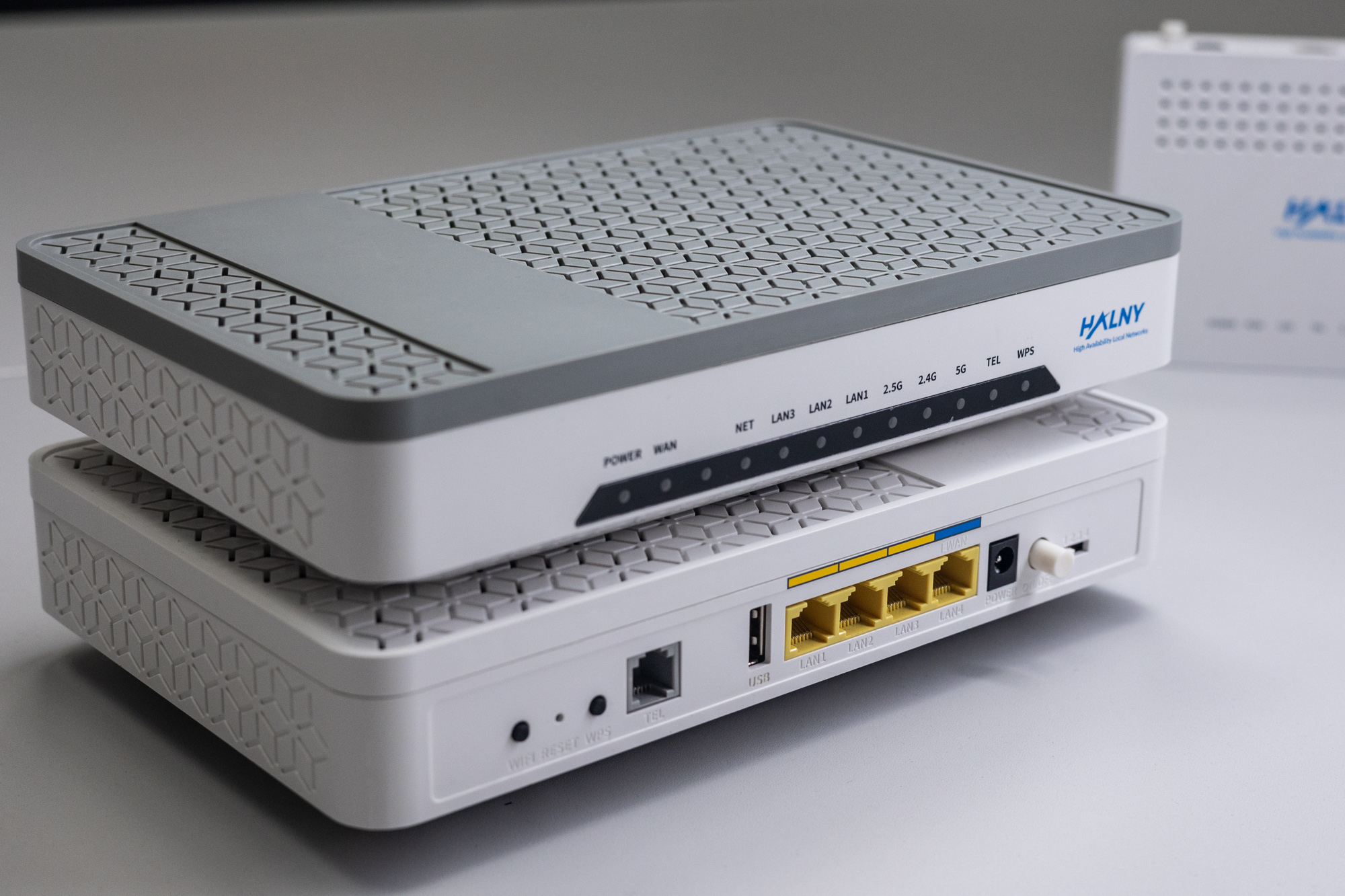
HALNy Integration
Supported SFU service scenarios
1. ONT configuration (Access mode, only INTERNET)

1. Create DBA Profile
UPLGP8862(config)# profile dba
profile_id:2 create success
UPLGP8862(profile-dba:2)# type 4 maximum 1024000
UPLGP8862(profile-dba:2)# commit
2. Create onu profile
Attention: Following configuration example is based on the HL-2BV model. Adjust the configuration as needed to suit your ONT model.
Change HL-MODEL string to exact model name of the ONT.
UPLGP8862(config)# profile onu name HL-MODEL
UPLGP8862(profile-onu:3)# tcont-num 2 gemport-num 2
UPLGP8862(profile-onu:3)# port-num eth 4 iphost 1
UPLGP8862(profile-onu:3)# commit
3. Create srv profile
UPLGP8862(config)# profile srv name HL-MODEL_SFU
UPLGP8862(profile-srv:3)# portvlan eth 1 mode tag vlan 100
UPLGP8862(profile-srv:3)# portvlan eth 2 mode tag vlan 100
UPLGP8862(profile-srv:3)# portvlan eth 3 mode tag vlan 100
UPLGP8862(profile-srv:3)# portvlan eth 4 mode tag vlan 100
UPLGP8862(profile-srv:3)# iphost 1 dhcp
UPLGP8862(profile-srv:3)# iphost vlan 400
UPLGP8862(profile-srv:3)# commit
4. Create line profile
UPLGP8862(config)# profile line name HL-MODEL_SFU
UPLGP8862(profile-line:1)# tcont 1 dba dba_profile_2
UPLGP8862(profile-line:1)# gemport 1 tcont 1
UPLGP8862(profile-line:1)# service 1 gemport 1 vlan 100
UPLGP8862(profile-line:1)# service-port 1 gemport 1 uservlan 100 vlan 100
UPLGP8862(profile-line:1)# tcont 2 dba dba_profile_2
UPLGP8862(profile-line:1)# gemport 2 tcont 2
UPLGP8862(profile-line:1)# service 2 gemport 2 vlan 400 iphost 1
UPLGP8862(profile-line:1)# service-port 2 gemport 2 uservlan 400 vlan 400
UPLGP8862(profile-line:1)# commit
5. Register ONT
UPLGP8862(config-pon-0/2)# onu add 7 profile HL-MODEL sn HALN306FB2086. Set ONT configuration
UPLGP8862(config-pon-0/2)# onu 7 profile srv name HL-MODEL_SFU
UPLGP8862(config-pon-0/2)# onu 7 profile line name HL-MODEL_SFU
7. Check ONT state
UPLGP8862(config-pon-0/2)# show onu state 7
OnuIndex    Admin State    OMCC State    Phase State    Channel
---------------------------------------------------------------
1/1/2:6     enable         enable        working        1(GPON)
2. ONT configuration (Access mode, Internet + IPTV)

ONT was connect to the GPON port 2 with ONU_ID 4
1. Create DBA Profile
UPLGP8862(config)# profile dba
profile_id:2 create success
UPLGP8862(profile-dba:2)# type 4 maximum 1024000
UPLGP8862(profile-dba:2)# commit
2. Create onu profile
Attention: Following configuration example is based on the HL-1GE model. Adjust the configuration as needed to suit your ONT model.
Change HL-MODEL string to exact model name of the ONT.
UPLGP8862(config)# profile onu name HL-MODEL
UPLGP8862(profile-onu:2)# tcont-num 3 gemport-num 3
UPLGP8862(profile-onu:2)# port-num eth 4 iphost 1
UPLGP8862(profile-onu:2)# commit
3. Create srv profile
UPLGP8862(config)# profile srv name HL-MODEL_INT_IPTV
UPLGP8862(profile-srv:4)# portvlan eth 1 mode hybrid def_vlan 100
UPLGP8862(profile-srv:4)# portvlan eth 2 mode hybrid def_vlan 100
UPLGP8862(profile-srv:4)# portvlan eth 3 mode hybrid def_vlan 100
UPLGP8862(profile-srv:4)# portvlan eth 4 mode hybrid def_vlan 200
UPLGP8862(profile-srv:4)# iphost 1 dhcp
UPLGP8862(profile-srv:4)# iphost vlan 400
UPLGP8862(profile-srv:4)# commit
4. Create line profile
UPLGP8862(config)# profile line name HL-MODEL_INT_IPTV
UPLGP8862(profile-line:4)# tcont 1 dba dba_profile_2
UPLGP8862(profile-line:4)# gemport 1 tcont 1
UPLGP8862(profile-line:4)# service Internet gemport 1 vlan 100
UPLGP8862(profile-line:4)# service-port 1 gemport 1 uservlan 100 vlan 100
UPLGP8862(profile-line:4)# tcont 2 dba dba_profile_2
UPLGP8862(profile-line:4)# gemport 2 tcont 2
UPLGP8862(profile-line:4)# service Internet gemport 2 vlan 200
UPLGP8862(profile-line:4)# service-port 2 gemport 2 uservlan 200 vlan 200
UPLGP8862(profile-line:4)# tcont 3 dba dba_profile_2
UPLGP8862(profile-line:4)# gemport 3 tcont 3
UPLGP8862(profile-line:4)# service 3 gemport 3 vlan 400 iphost 1
UPLGP8862(profile-line:4)# service-port 3 gemport 3 uservlan 400 vlan 400
UPLGP8862(profile-line:4)# commit
5. Register ONT
UPLGP8862(config-pon-0/2)# onu add 4 profile HL-MODEL sn HALN086047106. Set ONT configuration
UPLGP8862(config-pon-0/2)# onu 4 profile srv name HL-MODEL_INT_IPTV
UPLGP8862(config-pon-0/2)# onu 4 profile line name HL-MODEL_INT_IPTV
7. Check ONT state
UPLGP8862(config-pon-0/2)# show onu state 4
OnuIndex    Admin State    OMCC State    Phase State    Channel
---------------------------------------------------------------
1/1/2:4     enable         enable        working        1(GPON)
3. ONT configuration (TRANSPARENT)

ONT was connect to the GPON port 2 with ONU_ID 5
1. Create DBA Profile
UPLGP8862(config)# profile dba
profile_id:2 create success
UPLGP8862(profile-dba:2)# type 4 maximum 1024000
UPLGP8862(profile-dba:2)# commit
2. Create onu profile
Attention: Following configuration example is based on the HL-1GE model. Adjust the configuration as needed to suit your ONT model.
Change HL-MODEL string to exact model name of the ONT.
UPLGP8862(config)# profile onu name HL-MODEL
UPLGP8862(profile-onu:2)# tcont-num 4 gemport-num 4
UPLGP8862(profile-onu:2)# port-num eth 4 iphost 1
UPLGP8862(profile-onu:2)# commit
3. Create srv profile
UPLGP8862(config)# profile srv name HL-MODEL_TRANS
UPLGP8862(profile-srv:5)# portvlan eth 1 mode trunk
UPLGP8862(profile-srv:5)# portvlan eth 2 mode trunk
UPLGP8862(profile-srv:5)# portvlan eth 3 mode trunk
UPLGP8862(profile-srv:5)# portvlan eth 4 mode trunk
UPLGP8862(profile-srv:5)# portvlan eth 1 vlan 100,200,300
UPLGP8862(profile-srv:5)# portvlan eth 2 vlan 100,200,300
UPLGP8862(profile-srv:5)# portvlan eth 3 vlan 100,200,300
UPLGP8862(profile-srv:5)# portvlan eth 4 vlan 100,200,300
UPLGP8862(profile-srv:5)# iphost 1 dhcp
UPLGP8862(profile-srv:5)# iphost vlan 400
UPLGP8862(profile-srv:5)# commit
4. Create line profile
UPLGP8862(config)# profile line name HL-MODEL_TRANS
UPLGP8862(profile-line:5)# tcont 1 dba dba_profile_2
UPLGP8862(profile-line:5)# gemport 1 tcont 1
UPLGP8862(profile-line:5)# service Internet gemport 1 vlan 100
UPLGP8862(profile-line:5)# service-port 1 gemport 1 uservlan 100 transparent
UPLGP8862(profile-line:5)# tcont 2 dba dba_profile_2
UPLGP8862(profile-line:5)# gemport 2 tcont 2
UPLGP8862(profile-line:5)# service Internet gemport 2 vlan 200
UPLGP8862(profile-line:5)# service-port 2 gemport 2 uservlan 200 transparent
UPLGP8862(profile-line:5)# tcont 3 dba dba_profile_2
UPLGP8862(profile-line:5)# gemport 3 tcont 3
UPLGP8862(profile-line:5)# service Internet gemport 3 vlan 300
UPLGP8862(profile-line:5)# service-port 3 gemport 3 uservlan 300 transparent
UPLGP8862(profile-line:5)# tcont 4 dba dba_profile_2
UPLGP8862(profile-line:5)# gemport 4 tcont 4
UPLGP8862(profile-line:5)# service 4 gemport 4 vlan 400 iphost 1
UPLGP8862(profile-line:5)# service-port 4 gemport 4 uservlan 400 vlan 400
UPLGP8862(profile-line:5)# commit
5. Register ONT
UPLGP8862(config-pon-0/2)# onu add 5 profile HL-MODEL_SFU sn HALN086047106. Set ONT configuration
UPLGP8862(config-pon-0/2)# onu 5 profile srv name HL-MODEL_TRANS
UPLGP8862(config-pon-0/2)# onu 5 profile line name HL-MODEL_TRANS
7. Check ONT state
UPLGP8862(config-pon-0/2)# show onu state 5
OnuIndex    Admin State    OMCC State    Phase State    Channel
---------------------------------------------------------------
1/1/2:5     enable         enable        working        1(GPON)
ONT Managment
Note: Most provisioning and upgrade options below require ONT to have a valid IP Host setup. For detailed information regarding IP Host click here.
| Method | Configuration | Upgrade |
| Rest API V2 | [Example] | – |
| XML Provisioning [DHCP 66/67, WEB] | [Example] | – |
| OTT | – | [Example] |
| OLT CLI | – | – |
| TR-069 [DHCP 43] | [Example] | [Example] |
| WEB | [Example] | [Example] |
| Found something we can improve? Let us know at support@halny.com |
