
Have a Question?
ONT HALNy Upgrade on ALTICE OLT1T0
| Document Date and version | 2025.08.01 |
| Tested on OLT ALTICE OLT1T0 | Version: v3.17.6 |
| Tested with ONT HALNy HL-4GQVS, HL-4GQVS2, HL-4GMV3, HL-4GMV4, Hl-4GMVR, HL-4GXV, HL-4GXV-F, HL-4GQV, HL-4GMV2, HL-2GRV | Supported on Version: V3.2.48p1 or above |
| Tested with ONT HALNy HL-2BV, HL-1B, HL-4G2 | Supported on Version: V4.0.11 or above |
| Tested with ONT HALNy HL-4BX3V-F, HL-4GX3VR | Supported on Version: V5.0.15 or above |
| Revision | 1 |
Upgrade procedure on ALTICE OLT1T0
This article will show you how to upgrade HALNy ONT firmware on an ALTICE OLT (model OLT1T0).
To perform the upgrade properly, please follow the step-by-step instructions provided below.
Click on the image to enlarge it.
1.Go to Software manager > ONU SW management page.
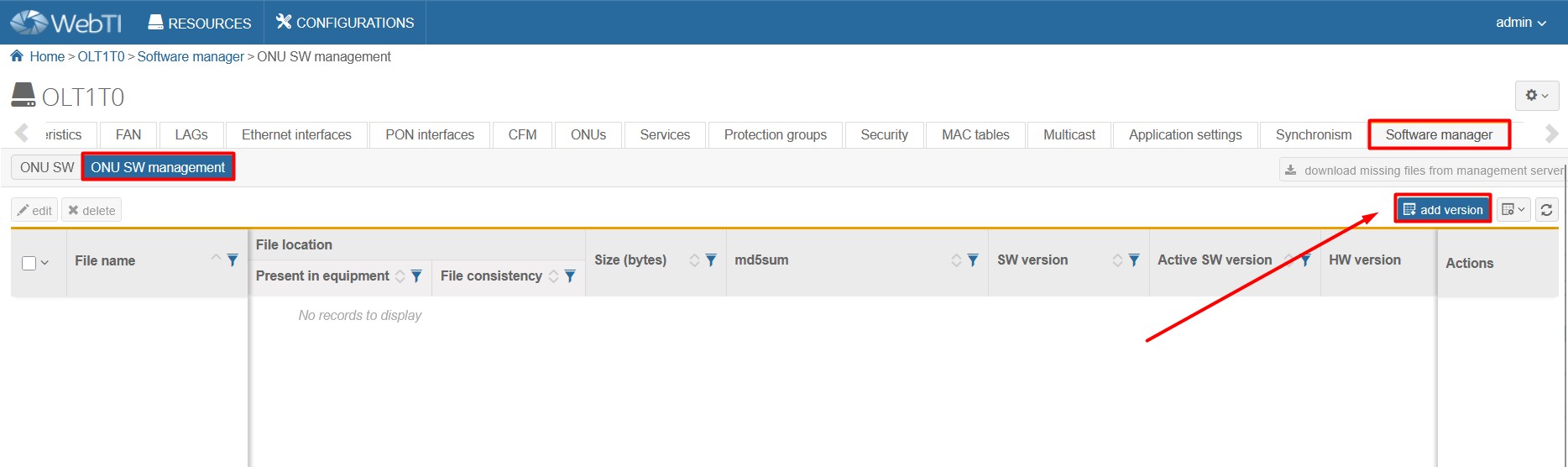
2. Click on „Select file” field and select firmware you want to upload in pop-up window.
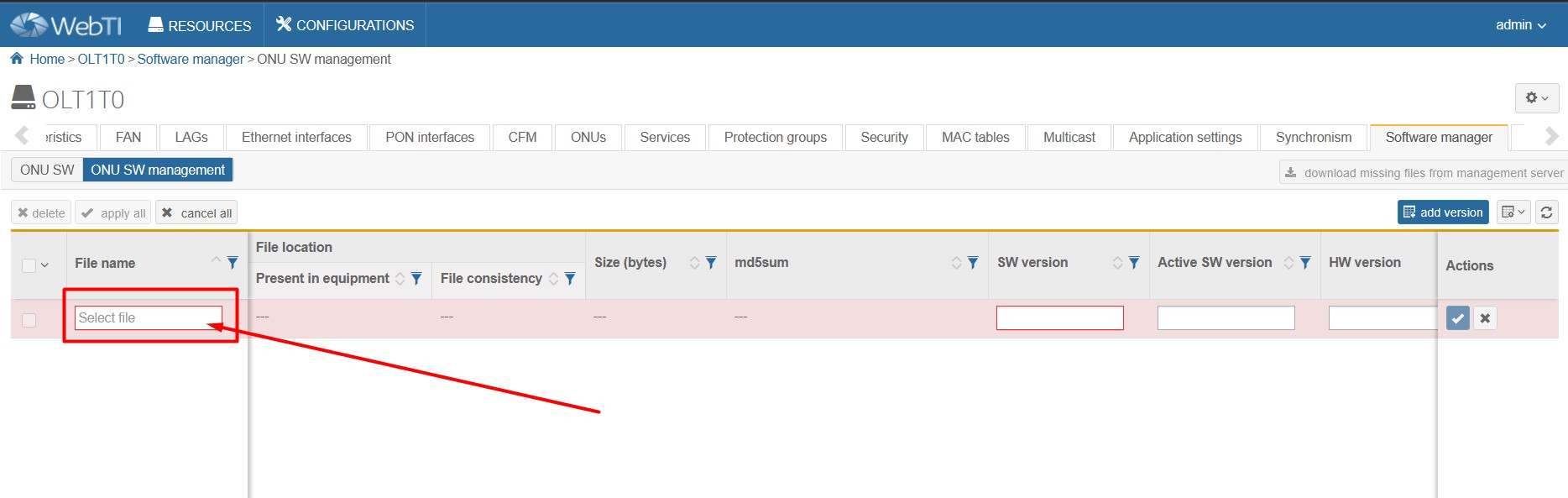

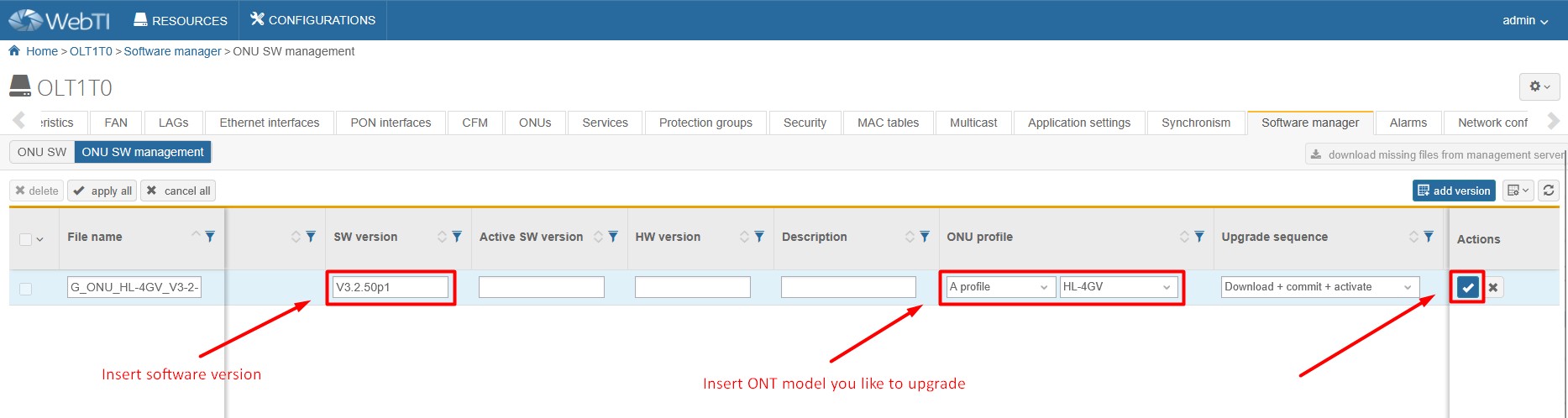
3. Fill rest of required fields.
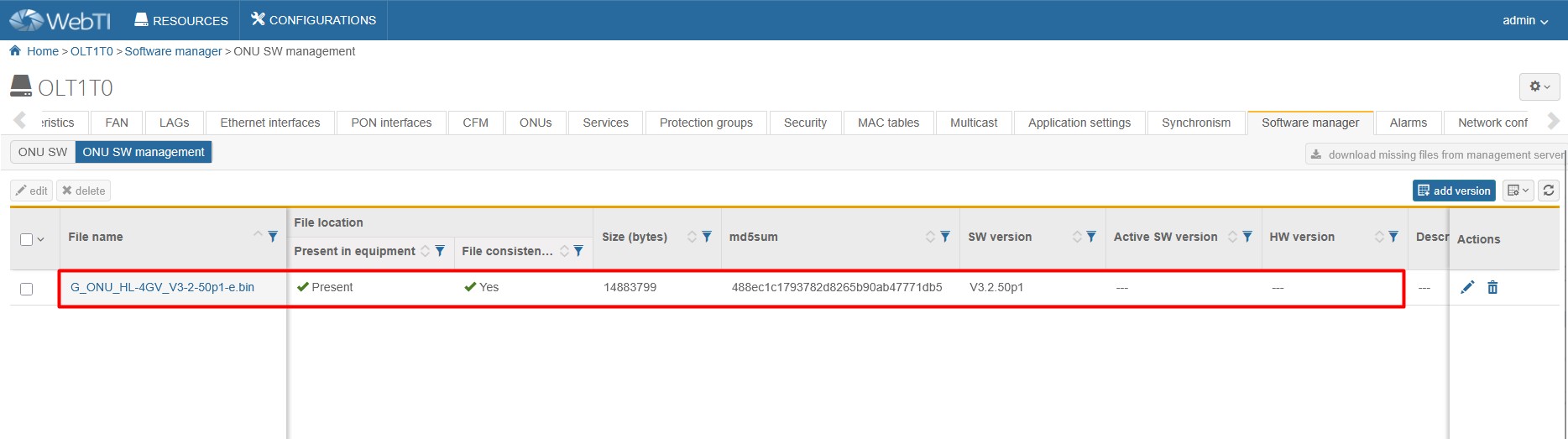
4. Wait a moment while the software is being uploaded. Then check if it was completed successfully.
5. Go to ONU SW subpage and select PON interface, that your ONT is connected to.
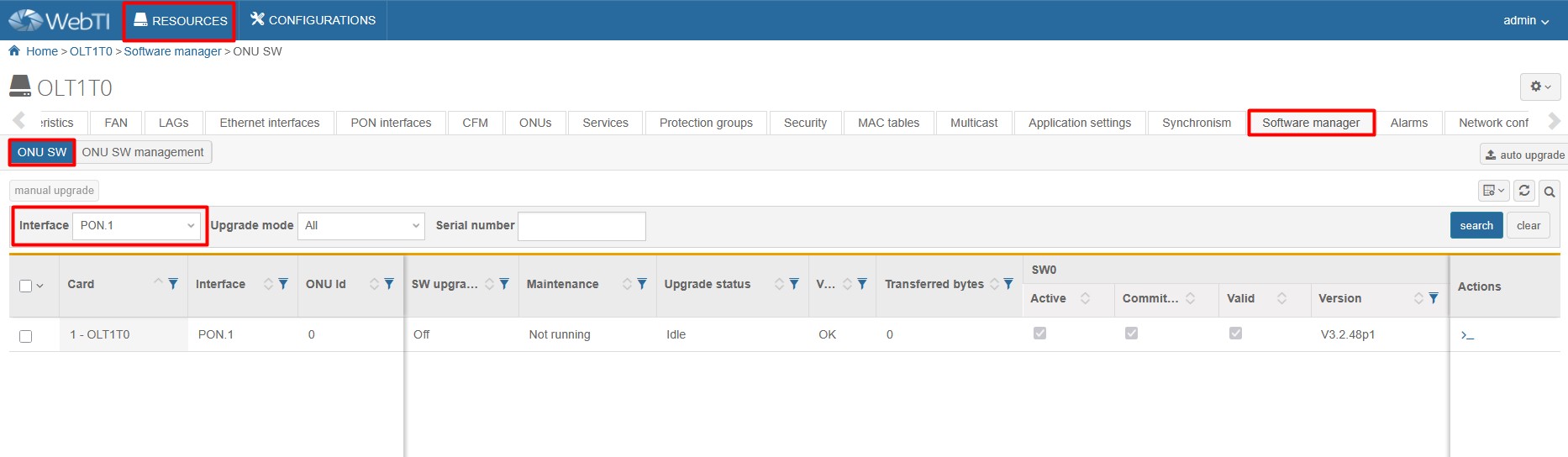
6. Select your ONT and click on « manual upgrade ».
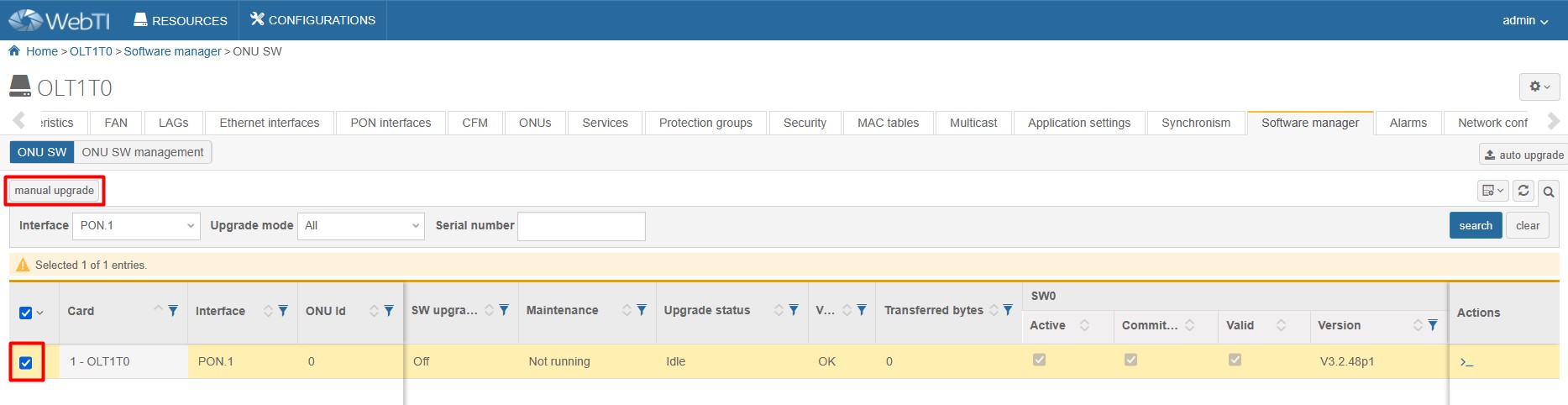
7. Select firmware version and upgrade sequention like below and click on « send »

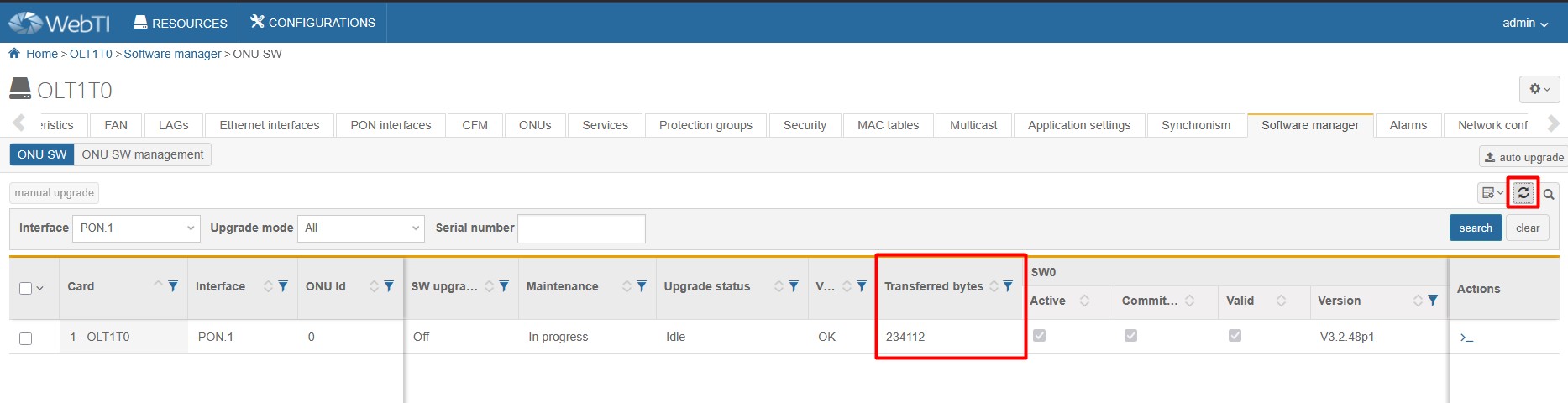
8. You can check upload status by refreshing the page and looking on « transferred bytes » field. The value will increase until it reaches the exact size of the firmware file
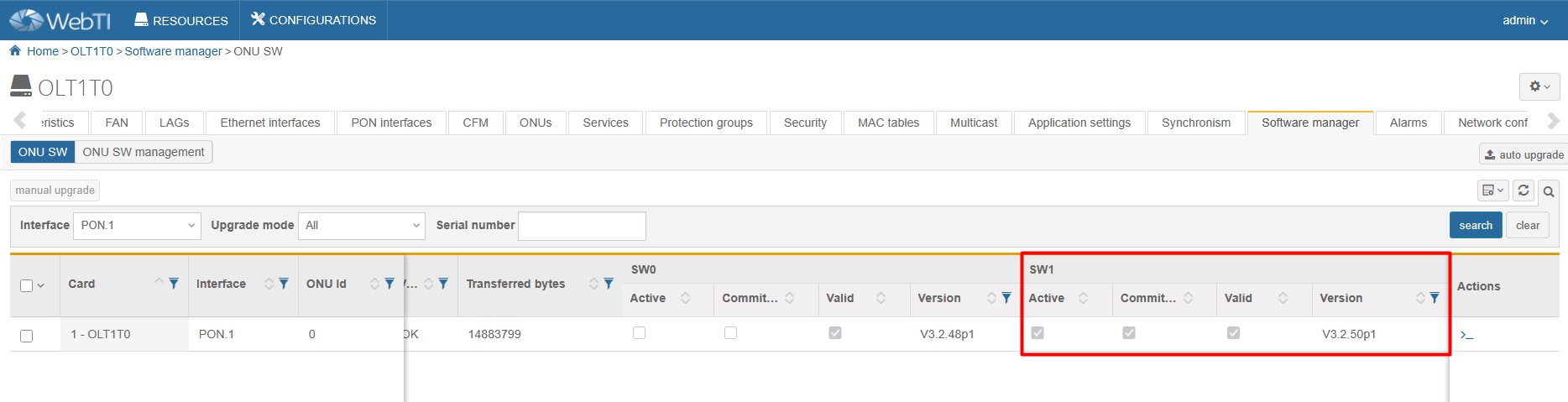
9. When the software is successfully uploaded, your device will reboot and the upgrade will be complete
| Found something we can improve? Let us know at support@halny.com |
