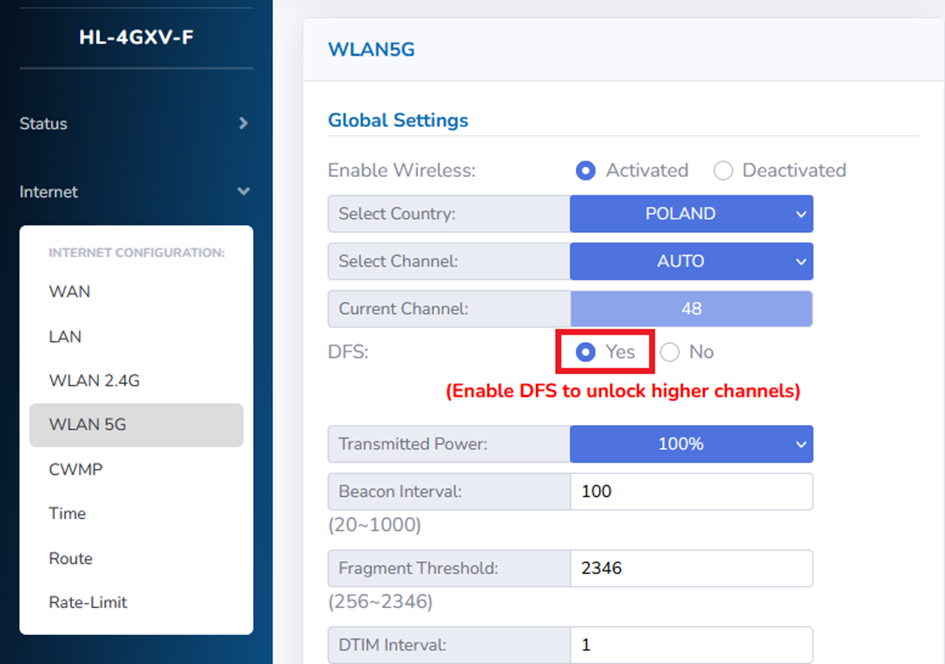
Tested with ONT HALNy HL-4GMV2 / HL-4GMV3 / HL-4GMV4 / HL-4GQV / HL-4GQVS / HL-4GQVS2 / HL-4GXV / HL-4GXV-F
Supported on Version: V3.1.28p2 or above
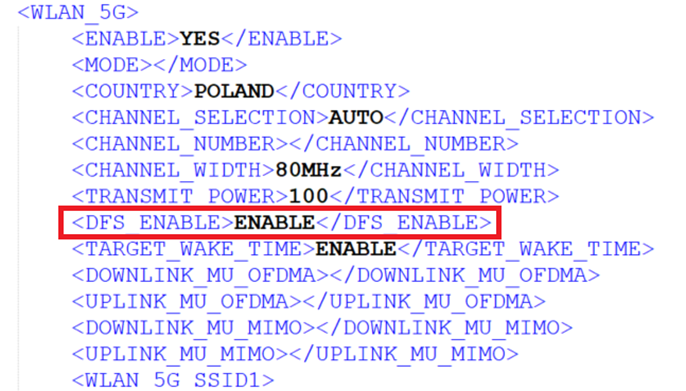
Tested with ONT HALNy HL-4BX3V-F, HL-4GX3VR
Supported on Version: V5.0.9 or above
Description
DFS is a spectrum-sharing mechanism that allows wireless LANs (WLANs) to coexist with radar systems. The main benefit of using DFS is to increase the number of Wi-Fi channels by allowing to use UNII-2 channels. UNII-2 standard contains 52, 56, 60, 64, 100, 104, 108, 112, 116, 120, 124, 128, 132, 136 and 140 channels.
After that, device gains access to UNII-2 channels, which can be set manually or automatically.
ATTENTION! When DFS is enabled, 5GHz signal is unavailable for connection. Device starts channel availability check process, which would take 1-10 minutes depending on the country. For this reason, DFS channels are not immediately available