
Have a Question?
Port Forwarding
| Document Date and version | 2023.02.08 |
| Tested with ONT HALNy HL-1GE/2, HL-1GC, HL-4G, HL-4GMV | Supported on version V2.0.17 or above |
| Tested with ONT HALNy HL-4GQV, HL-4GQVS/2, HL-4GXV/-F, HL-4GMV2/3/4, HLE-3GM, HLE-3GX-F | Supported on version V3.0.21 or above |
| Tested with ONT HALNy HL-1B, HL-2BV, HL-4G2 | Supported on version V4.0.4 or above |
| Tested with ONT HALNy HL-4BX3V-F, HL-4GX3VR | Supported on version V5.0.8 or above |
| Tested with ONT HALNy HLX-TGV | Supported on version V6.0.3 or above |
Description
Port forwarding is a feature of network address translation (NAT). It allows to redirects a communication request from one address and port number combination to another in situation when packets are traversing a network gateway.
Web configuration
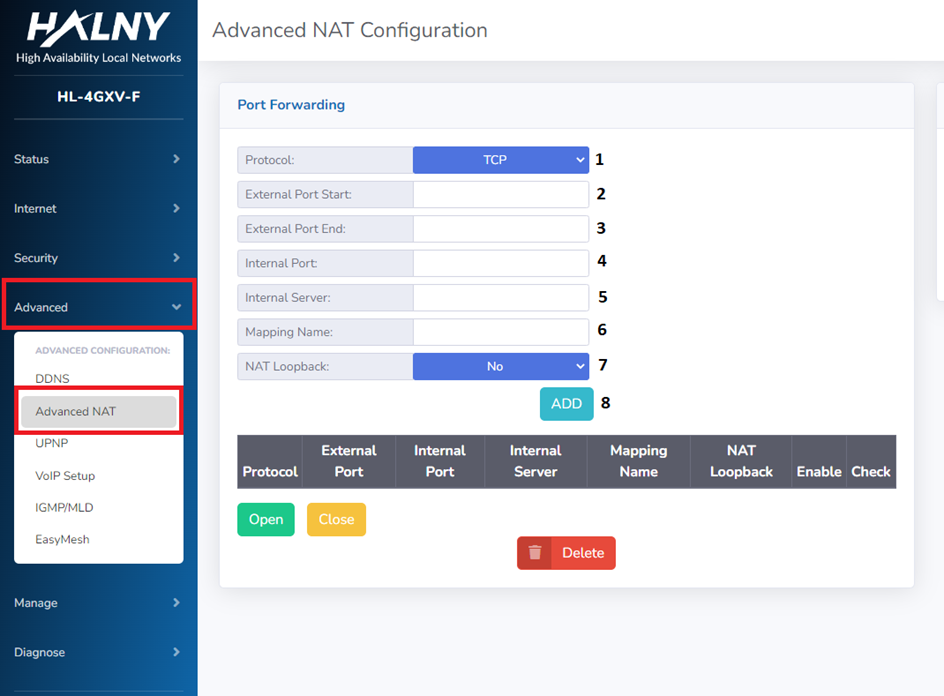
To configure this function, navigate to Advanced → Advanced NAT.
1. Select the desired protocol – TCP, UDP, or both.
2. Set the first port of the range to be reached from the top of the network/Internet.
3. Set the last port of the range to be reached from the top of the network/Internet.
4. Set the first port of the range forwarded to the device on the LAN side.
5. Set the IP address of the device that will receive the forwarded traffic.
6. Enter a name for the port mapping rule.
7. Choose whether to enable NAT Loopback.
8. Click Add to create the rule.
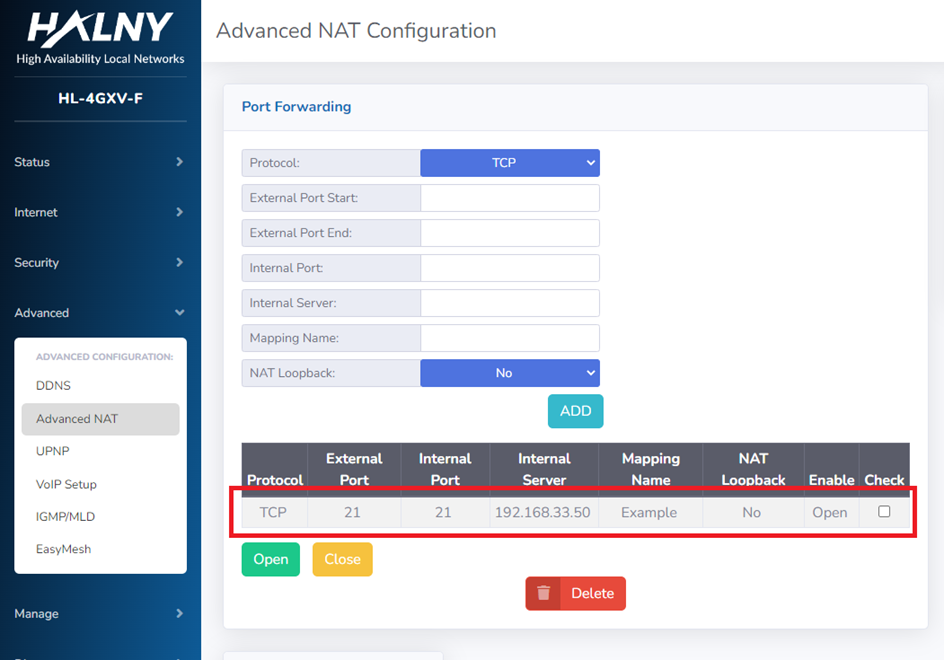
Below is an example of a configured port forwarding rule for reference.
XML configuration
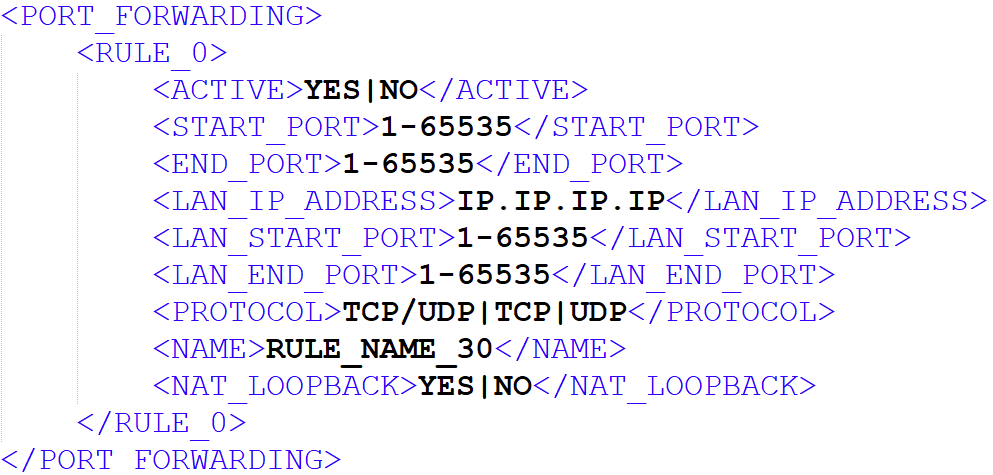
You can also enable port forwarding by XML:
| Found something we can improve? Let us know at support@halny.com |
